



In our previous Guide to Shariah-Compliant Investing for Freelancers and Remote Workers, we broke down the core principles of Shariah-compliant investing and how to identify compliant assets. But knowing what to buy is only half the equation.
The real challenge for global freelancers and remote professionals is execution: how do you efficiently move your hard-earned money into the market from your home country without getting crushed by banking fees and terrible exchange rates?
Today, we are bridging that gap. We want you to have a simple pipeline to execute your Shariah-compliant investment strategy. Here is exactly how to automate your portfolio using Elevate Pay, Interactive Brokers (IBKR), and Zoya.
Interactive Brokers (IBKR) and Elevate Pay Advantage
Interactive Brokers (IBKR) is the gold standard for non-U.S. residents. It allows investors in emerging markets to securely access U.S. markets, completely bypassing local broker limitations.
With IBKR, you can buy fractional shares of global tech giants or easily access major Shariah-compliant ETFs (like HLAL, SPUS, and ISDW), instantly diversifying your portfolio with a single trade. IBKR gives you the platform, but you still need a way to fund it efficiently.
Most global freelancers fall into the "funding trap": converting USD earnings to local currency, only to lose a significant percentage to conversion spreads and wire fees when trying to send it back out to fund an international brokerage.
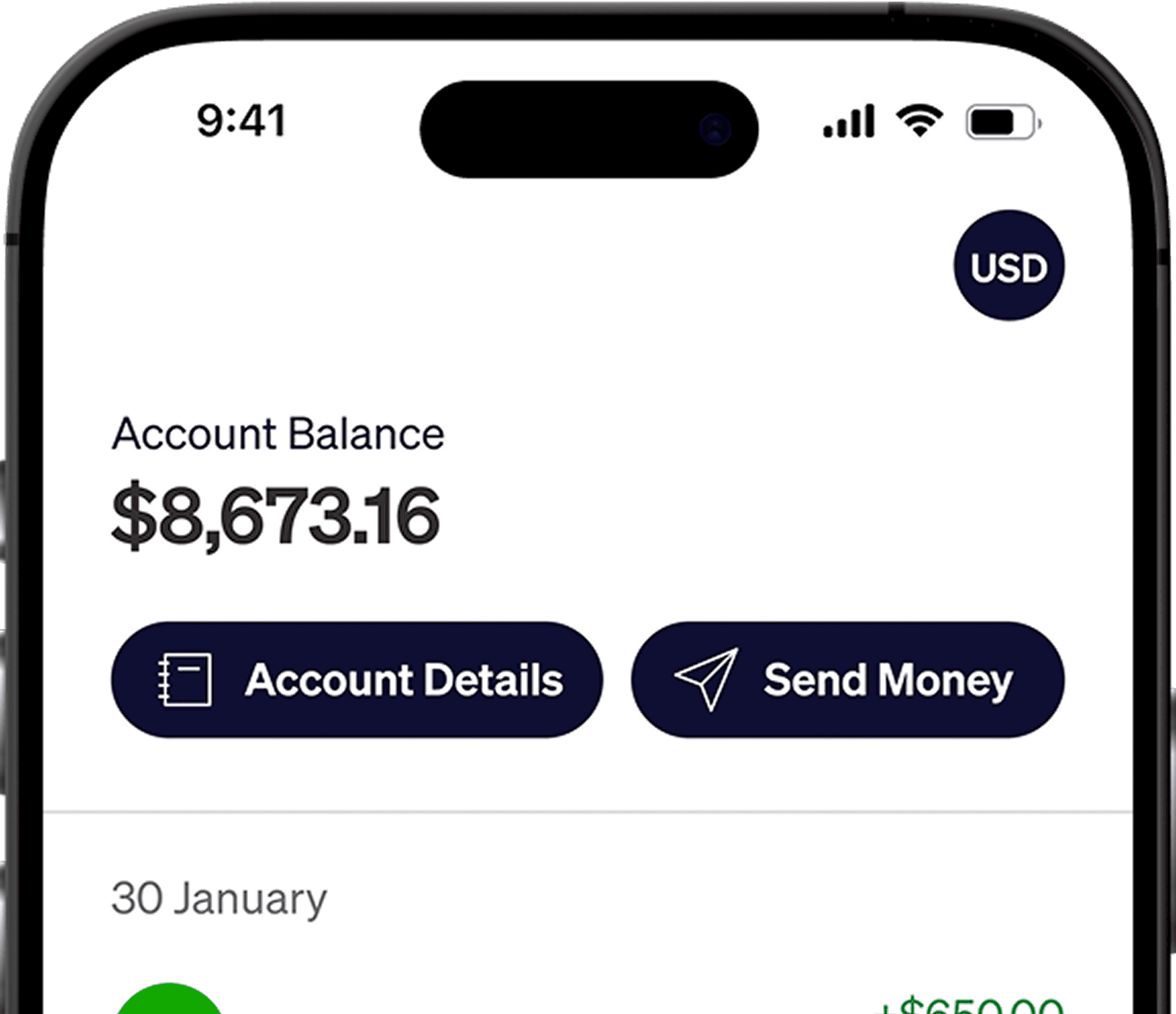
Elevate Pay fundamentally rewrites this process. With your Elevate Pay global USD account, you bypass the funding trap entirely. You earn in USD, keep your money in USD, and route funds directly to your IBKR account via a seamless US ACH transfer. By cutting out the middleman and local banking friction, you retain your capital to buy USD-denominated assets. It is the ultimate wealth-building loop.
Want the full setup process?
Read our detailed walkthrough on How to connect and fund your Interactive Brokers (IBKR) account with Elevate Pay.
Syncing IBKR + Zoya
Once your pipeline is flowing, it's time to automate your compliance tracking.
A company’s financial status is dynamic. A tech company might pass screening today, but if they take on a massive high-interest loan next quarter, they could fail the financial ratio test and become non-compliant. Manually checking balance sheets every quarter is exhausting.
The solution? Link your active IBKR account directly to the Zoya app using SnapTrade. Zoya will continuously scan the actual assets held in your IBKR portfolio and alert you immediately if any of your holdings fail the compliance tests.
Step 1: Download and link Zoya with your IBKR Account
Download Zoya from the App store or Google play store.
Complete the simple signup process and navigate to the “Portfolio” section.
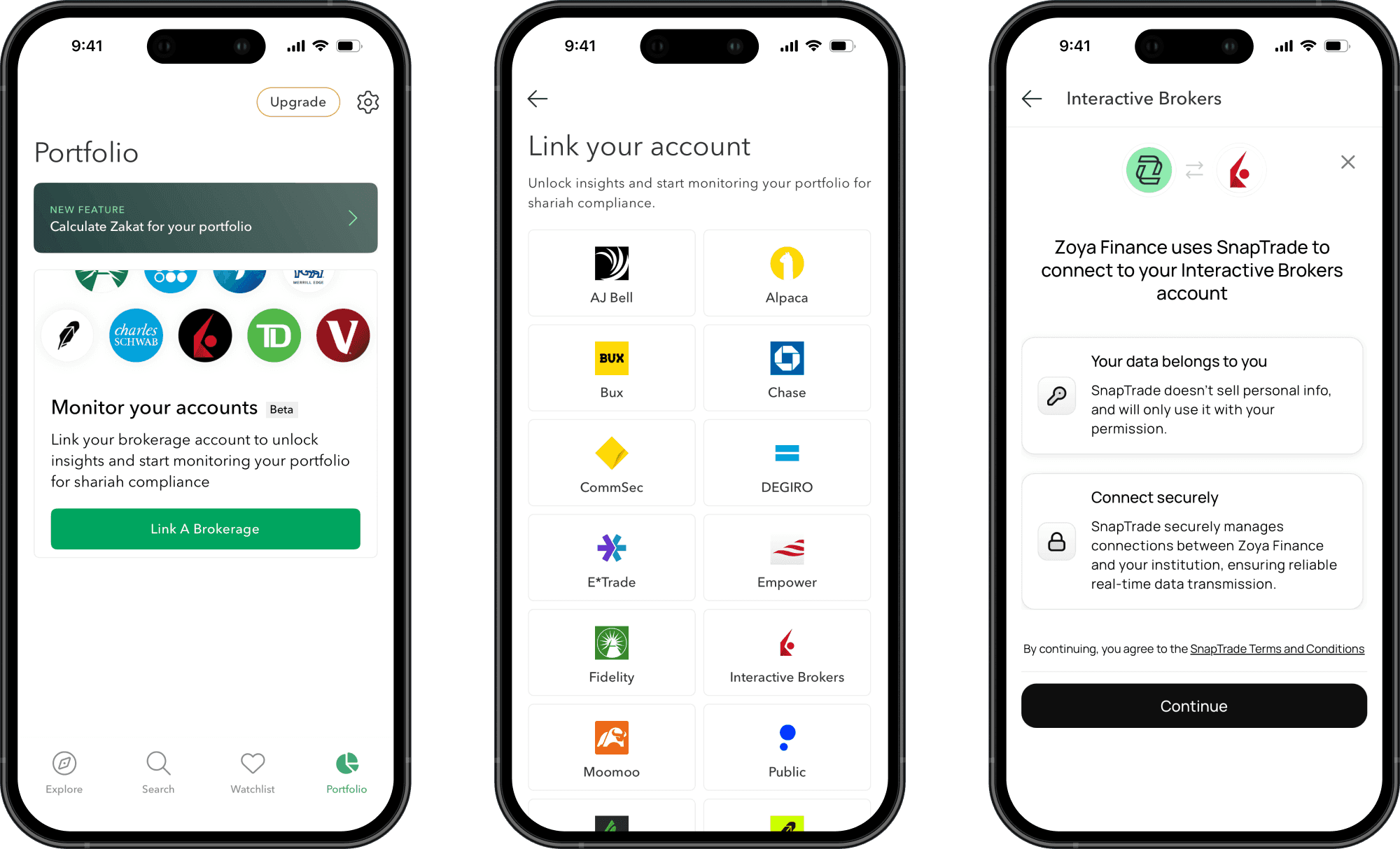
Select Interactive Broker (IBKR) from the list.
Hit “Continue” to begin connecting Zoya with IBKR via SnapTrade.
Step 2: Enable SnapTrade from IBKR and Connect
Once you hit the “Continue” button from the Zoya app, it will show you a step by step guide on how to connect IBKR with Zoya via SnapTrade both for IBKR mobile app or web app. For web app:
Open the Interactive Brokers website and log into your account.
From the top menu, select “Performance & Reports,” then go to “Third-Party Reports”. Click the gear icon in the Third-Party Services section.
On the Configure Third-Party Services page, turn on the SnapTrade service. You’ll see a Query ID (6–7 digits) and a Token (24 digits).
Copy those values from IBKR and enter them into the Zoya app.
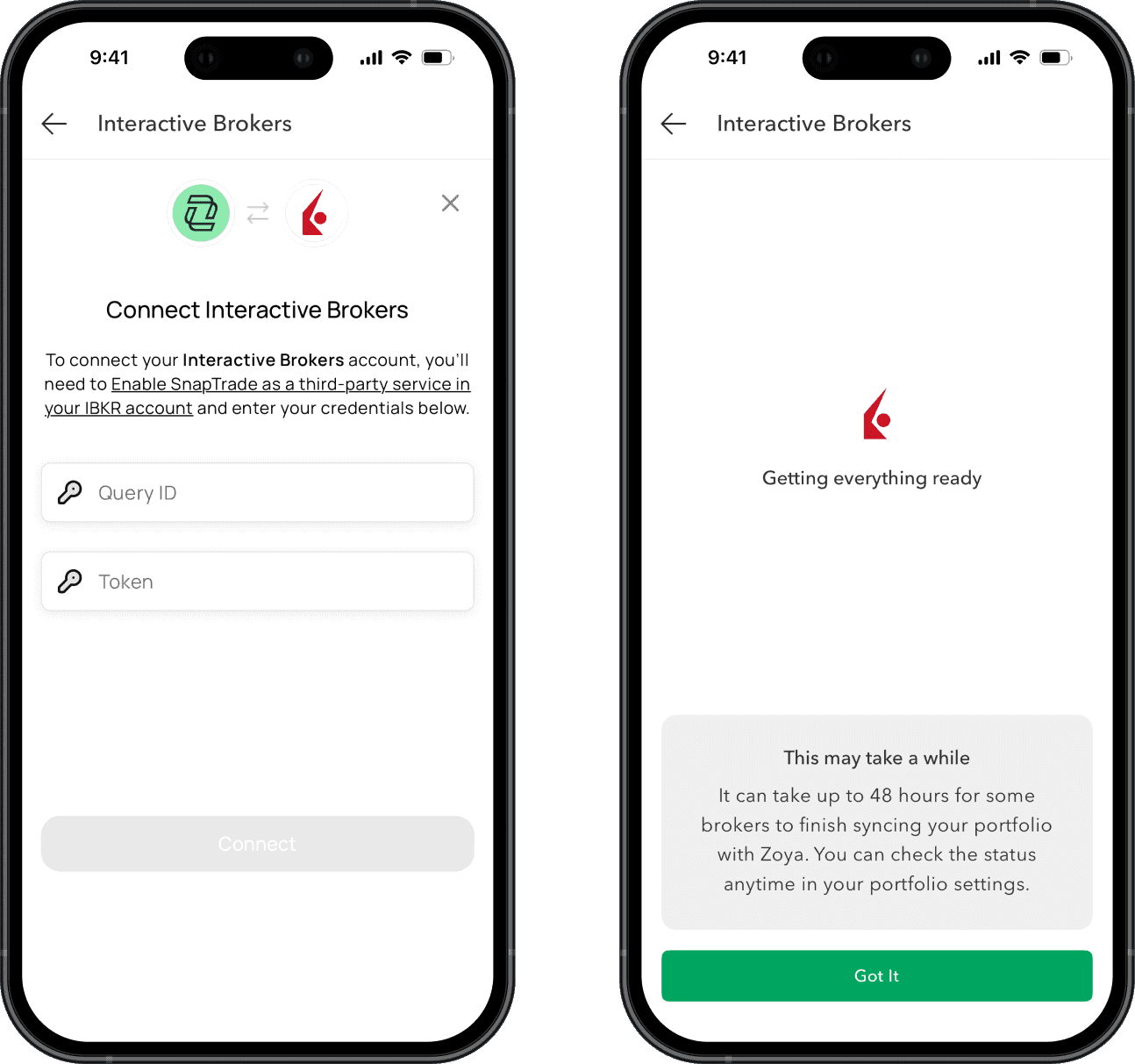
Once done, tap connect. That’s all.
Note: IBKR can take between 1 to 2 business days to fully connect and start providing data.
What You Can Do Now: Managing Your Live Portfolio
Now that your IBKR account is funded via Elevate Pay and linked to Zoya, you are ready to execute trades. Here is what your new, streamlined investment workflow looks like:
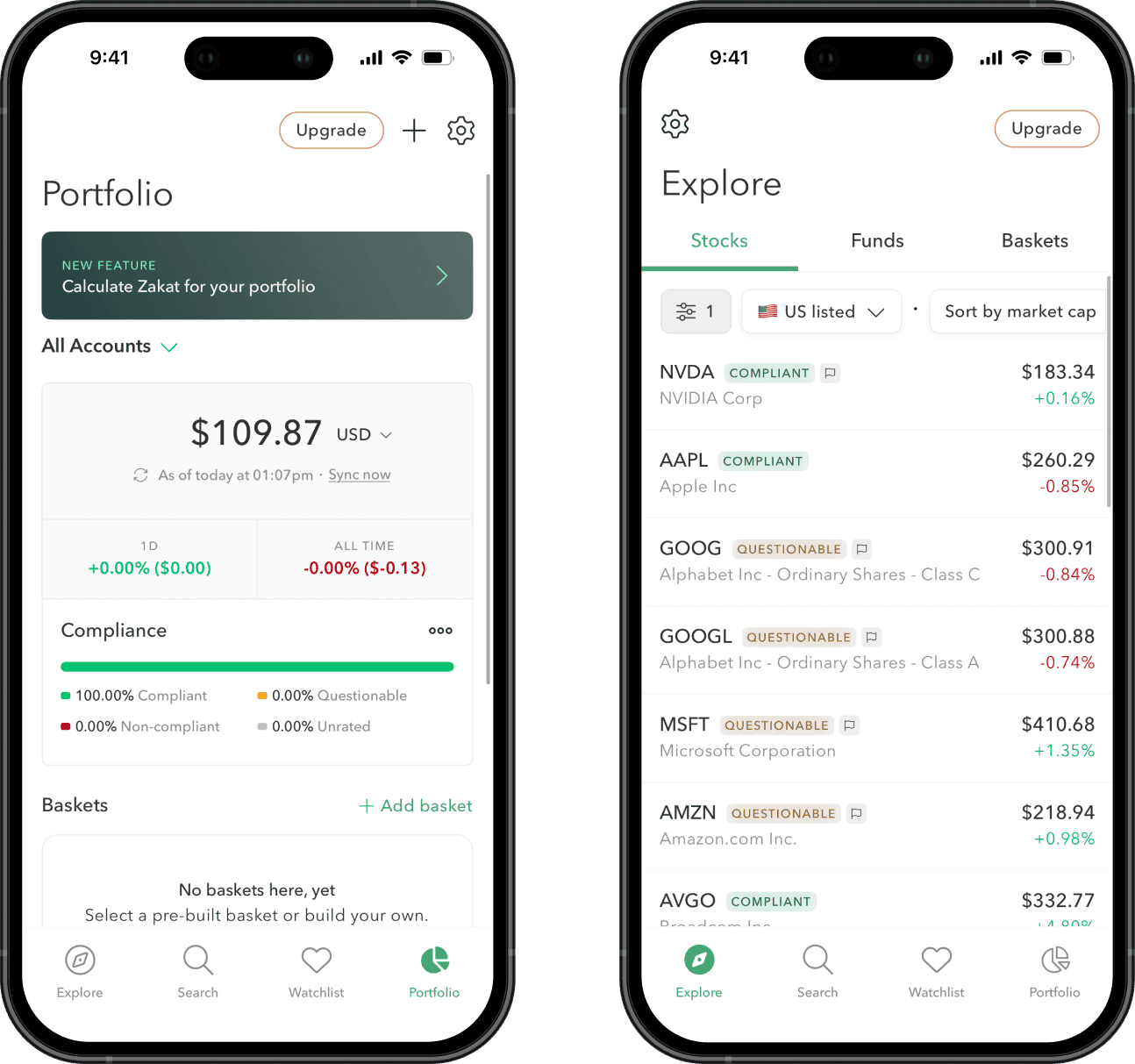
Monitor Your Total Compliance
Whenever you buy stocks or ETFs on IBKR, you can track your investments directly from Zoya’s Portfolio tab. Zoya automatically analyzes your holdings and provides a complete compliance rating breakdown. At a glance, you can see the exact percentage of your portfolio that is Compliant, Questionable, Non-compliant, or Unrated.
Research Before You Buy
You aren't just limited to tracking existing holdings. Use Zoya’s Explore or Search tabs to look up individual stocks or ETFs before making a move. You can instantly verify if an asset is Shariah-compliant. Once you find a stock that fits your strategy, simply log into IBKR to execute the trade.
Ultimately, Elevate Pay, IBKR, and Zoya come together to create an incredibly smooth, end-to-end ecosystem. From securing your USD earnings to executing and monitoring an automated Shariah-compliant investment journey, the friction of international investing is finally a thing of the past.
Take control of your financial future today, and make your first Shariah-compliant investment with confidence.
Disclaimer: This article is for informational purposes only and does not constitute financial advice. All investments involve risk, including the potential loss of principal. Please conduct your own research before making investment decisions.


Recent Articles






DO MORE WITH ELEVATE PAY
Transfer money with Elevate Pay with low fees and competitive FX rates. Our users love us for transparency, security and more.