



Sending money to another Elevate Pay user is now easier.
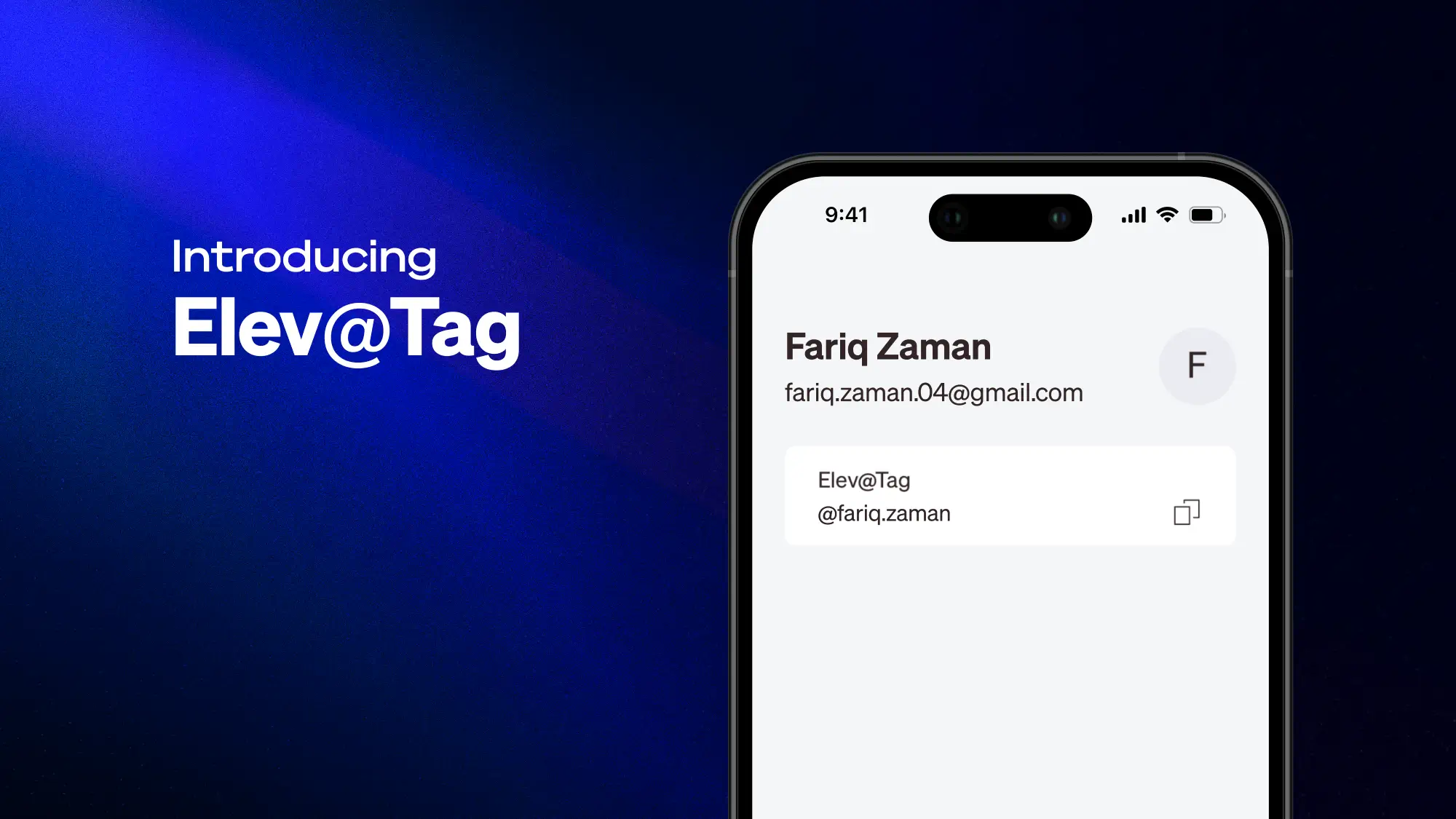
With the latest Elevate Pay app update, every individual user now has a unique Elev@Tag. You can use it to find other Elevate Pay users, add them as payees, and receive P2P payments from them.
What is Elev@Tag?
Elev@Tag is your unique Elevate Pay ID.
Instead of using an email address to search for another Elevate Pay user, you can now use their Elev@Tag.
This makes it easier to find the right user and add them as a payee for P2P payments.
What’s changing?
Previously, you could search for another Elevate Pay user using their email address.
From now on, Elev@Tag will be the default way to search for and add another Elevate Pay user as a payee.
The transfer flow remains the same. The only thing changing is how you find and add a new payee.
What stays the same?
You can still send and receive money with other Elevate Pay users as usual.
With Elev@Tag, you can:
Search for another Elevate Pay user
Add them as a payee
Send P2P transfers
Receive P2P payments from other users
P2P transfers between Elevate Pay users remain free.
Existing payees are not affected
Any Elevate Pay payees you added previously will remain in your account.
You can continue sending money to them as usual. You only need an Elev@Tag when adding a new Elevate Pay user as a payee.
How to find your Elev@Tag
You can find your Elev@Tag in the Elevate Pay app.
Open the app and go to your Profile tab. Your unique Elev@Tag will be shown there.
How to receive a P2P payment
To receive a payment from another Elevate Pay user, simply share your Elev@Tag with them.
They can use your Elev@Tag to find you, add you as a payee, and send the payment.
Who can use Elev@Tag?
Elev@Tag is currently available for personal Elevate Pay accounts.Business accounts do not have Elev@Tags at this time because P2P transfers are not supported for business accounts.
Update your app to start using Elev@Tag
Elev@Tag is available with the latest Elevate Pay app update. Update your app, go to your Profile tab, and check your unique Elev@Tag. Then share it with other Elevate Pay users to receive P2P payments.


Recent Articles




DO MORE WITH ELEVATE PAY
Transfer money with Elevate Pay with low fees and competitive FX rates. Our users love us for transparency, security and more.