



Multiple accounts. Variable income. Recurring subscriptions.
Freelancers handle all three at once, often without a single place to see everything clearly.
Now, with Elevate Pay’s Plaid integration, you can connect your USD account to Rocket Money and manage your finances with structure and control.
Here is everything you need to know about Rocket Money, why it is a game changer for independent workers, and exactly how to link your Elevate Pay account today.
What is Rocket Money?
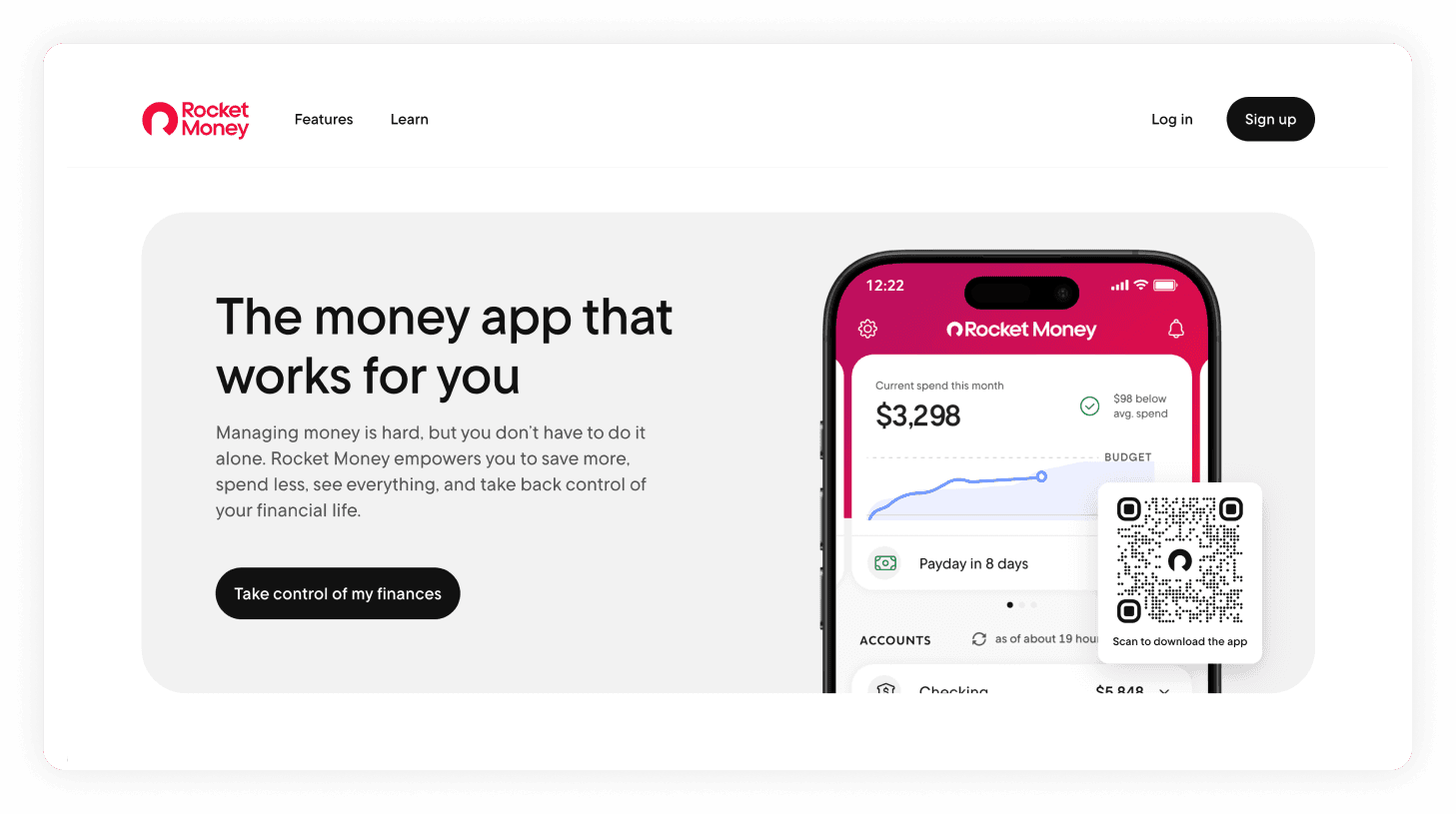
Rocket Money is a personal finance and budgeting app that brings your financial data into one clean dashboard.
Once connected, you can:
Track spending
Transactions are automatically categorized so you can see where your money goes.
Manage subscriptions
Review recurring charges and cancel services you no longer use.
Set budgets
Create category-based spending limits and receive alerts before you overspend.
Monitor net worth
View your balances and liabilities together for a complete snapshot.
Why This Matters for Freelancers
When income changes month to month, clarity becomes essential.
Connecting Elevate Pay to Rocket Money helps you:
Understand your runway
See how long your current balance can cover expenses and adjust spending during slower periods.
Reduce manual tracking
Transactions sync automatically, eliminating spreadsheet updates and reconciliation work.
Control recurring costs
Track software subscriptions and small recurring charges that impact your margins.
Make informed decisions
Review income trends and spending patterns to plan savings, pricing, or future investments.
Instead of checking multiple apps, you get one consistent view of your USD income and expenses.
Elevate Pay + Plaid Integration
In the past, connecting specialized USD accounts to budgeting apps was difficult.
Not anymore.
With Plaid integration, you can securely link your Elevate Pay USD account to thousands of financial apps including Rocket Money in just a few steps.
All your finances in one place
In addition to Elevate Pay, Plaid allows you to connect:
US bank accounts
Credit cards
Debit cards
Investment accounts
Instead of switching between multiple apps, you get a single, unified view of your finances.
Built for security
Plaid acts as a secure connection between your accounts and financial apps. You do not share your login credentials directly with third-party platforms. Your data remains protected while your accounts stay synced.
How to Connect Elevate Pay to Rocket Money
Setup takes only a few minutes.
Step 1: Create a Rocket Money Account
Download the Rocket Money app from the App Store or Google Play (or visit their website).
Sign up using your email address.
Step 2: Connect Elevate Pay via Plaid
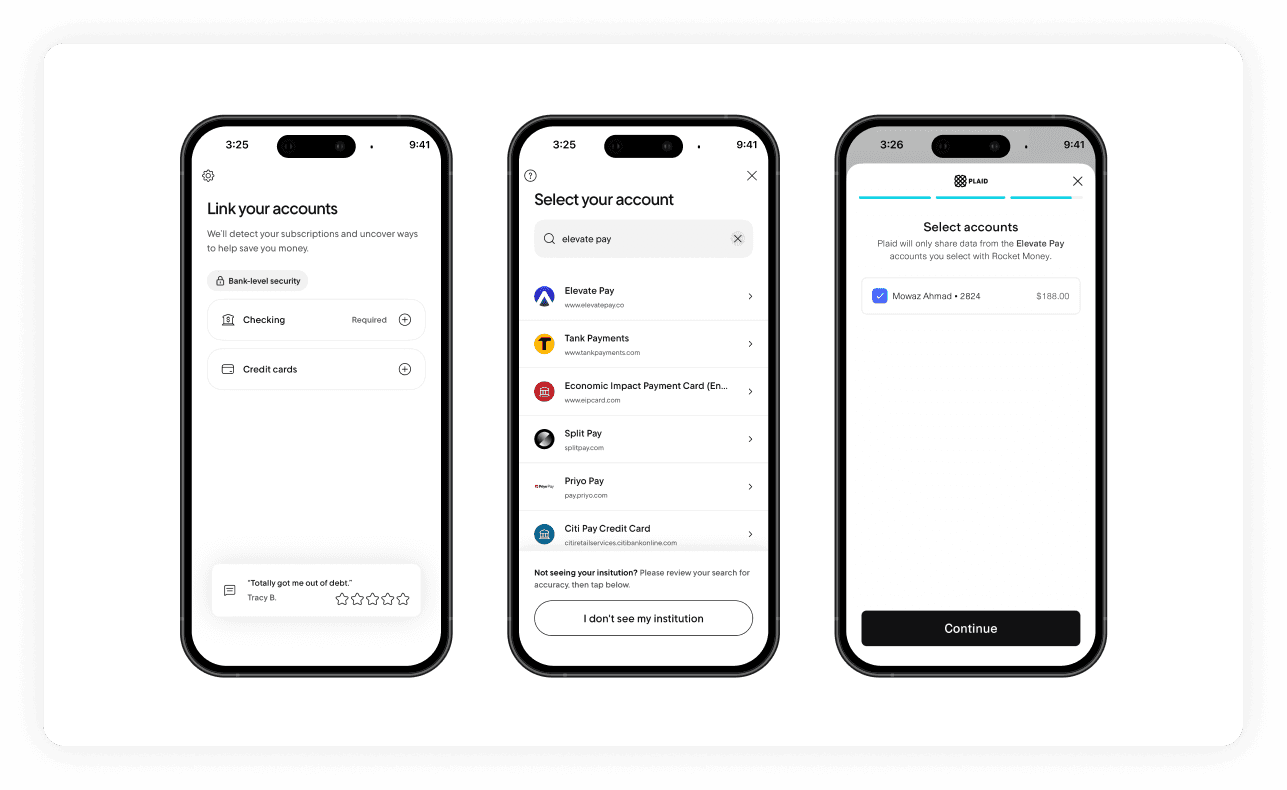
During onboarding, Rocket Money will prompt you to link your accounts.
Tap the + icon next to Checking to open the secure Plaid portal.
In the Plaid search bar, type “Elevate Pay.”
Select Elevate Pay and enter your Elevate Pay email address.
Check your inbox for a one-time password (OTP) and complete authentication.
Within seconds, your Elevate Pay USD balance and transaction history will sync to Rocket Money.
You can repeat the process to connect additional accounts.
Once Connected
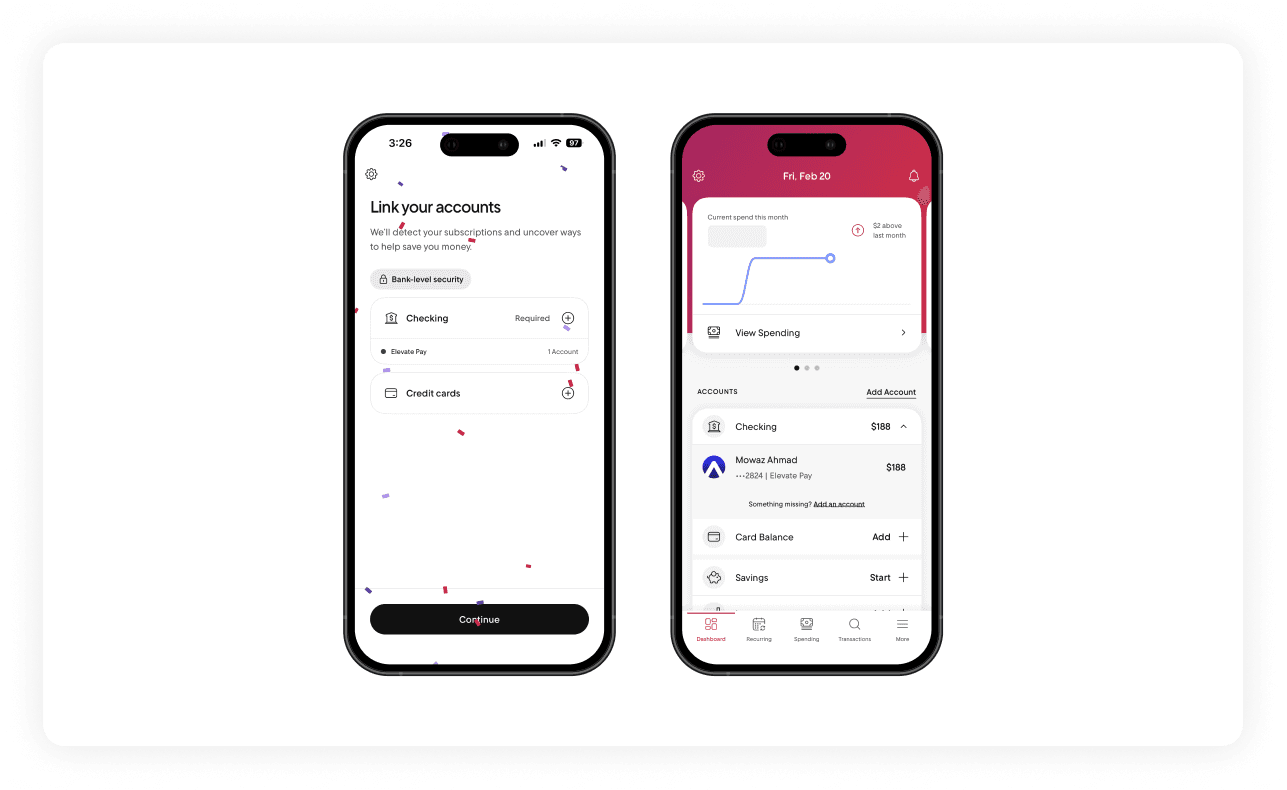
Once your Elevate Pay account and other financial accounts are successfully linked to Rocket Money, a whole new world of financial clarity opens up. Here is what you can start doing immediately:
Set clear spending limits
Create simple budgets for business tools, subscriptions, and daily expenses. Get notified before you overspend.
Review recurring charges
Check every subscription linked to your Elevate Pay account. Cancel what you no longer use and keep more of your earnings.
Reduce manual tracking
Transactions sync automatically. No more updating spreadsheets or switching between apps.
With everything in one dashboard, managing your USD income becomes simpler and more structured.


Recent Articles







DO MORE WITH ELEVATE PAY
Transfer money with Elevate Pay with low fees and competitive FX rates. Our users love us for transparency, security and more.