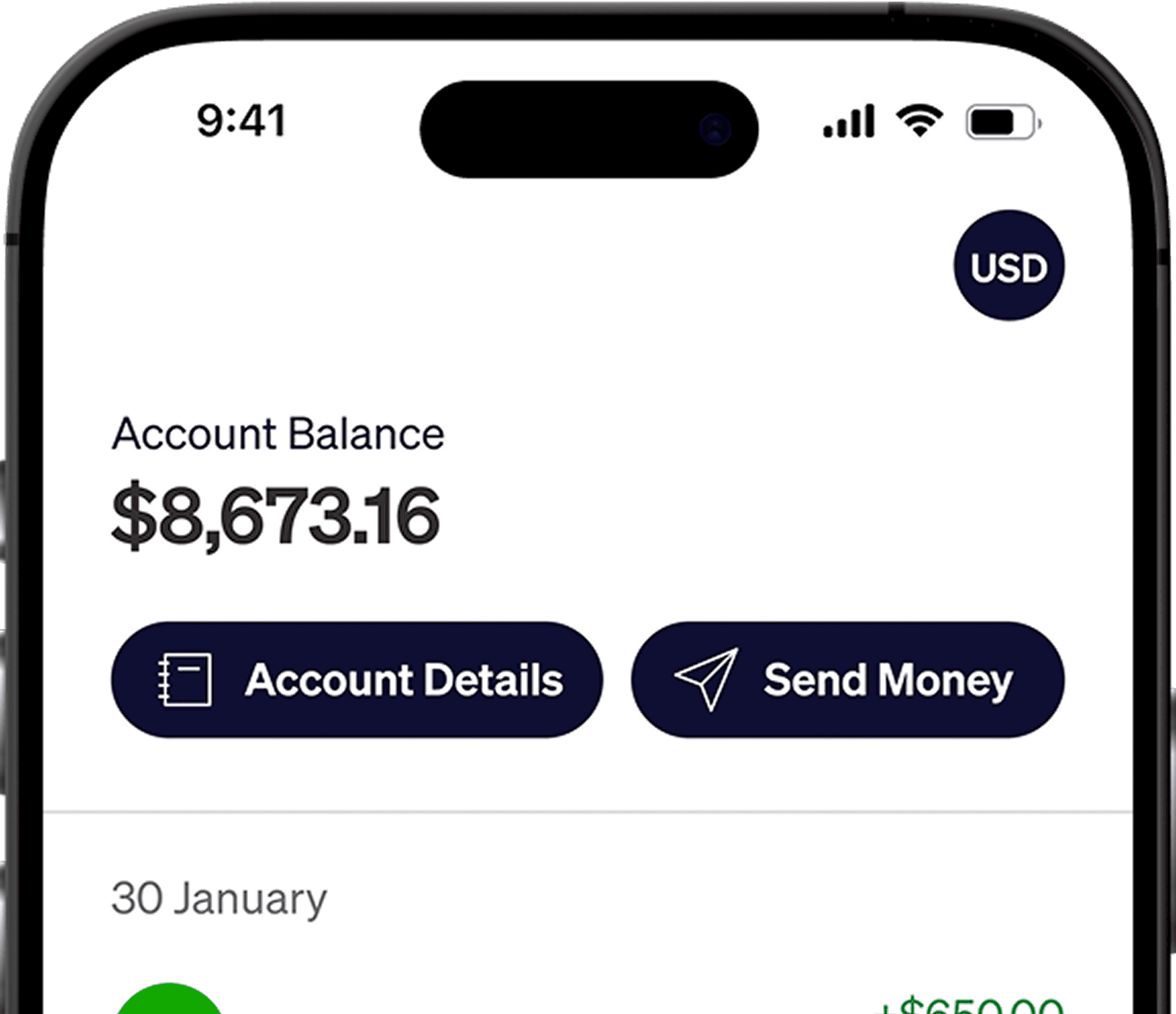




If you’re a freelancer or remote worker earning in USD, you can now invest directly in U.S. and global markets..
With Elevate Pay, funding an Interactive Brokers (IBKR) account is simpler than ever. You receive a U.S. bank account, which allows you to transfer funds to IBKR via ACH without dealing with international wire restrictions from local banks.
This guide explains:
What IBKR is
What you need to open an account
Step-by-step instructions
How to optimize your account after approval
What is Interactive Brokers (IBKR)?
Interactive Brokers (IBKR) is one of the largest global brokerage platforms. It is regulated by trusted authorities such as the U.S. SEC and the UK FCA.
Why many Pakistani investors choose IBKR:
Global Access: Trade stocks, ETFs, bonds, and more across 150+ markets
Low Fees: Commission structure is among the lowest globally
No Minimum Deposit: Start investing with small amounts
For freelancers earning in USD, IBKR provides access to international markets without needing a local intermediary.
The Elevate Pay Advantage: Solving the Funding Barrier
Historically, the biggest obstacle wasn’t opening the account, it was funding it.
The traditional problem:
Local banks in Pakistan typically restrict outward investment transfers without special approval.
The Elevate Pay solution:
Because Elevate Pay provides you with a U.S. routing and account number:
You can link it directly to IBKR
You can fund your account using PLAID (ACH)
Transfers are typically low-cost or free
Processing is faster than wire transfers
Important: This method is designed for users receiving USD through Elevate Pay (freelancers, remote workers, entrepreneurs).
Account Opening Requirements
To open an IBKR account as a Pakistani resident:
Age: 18+ (21+ for Margin account)
Residency: Legal resident of Pakistan
Income Source: You must declare a legitimate source of wealth (e.g., "Income from Employment" or "Freelancing").
Required Documents
Prepare these before starting:
Category | Requirements & Details |
|---|---|
Proof of Identity (Mandatory) | • Passport (valid, signature page included) • CNIC or Driver's License |
Proof of Address (Optional) | Required only in some cases (e.g., advanced permissions). Must be < 6 months old. • Bank statement (most reliable) • Utility bill • Credit card statement |
Tax ID (Optional) | • Enter your NTN (CNIC Number) if available • If not available, you may select “I’m unable to obtain a TIN” |
Step-by-Step: How to Open Your Account
The full application takes around 10–20 minutes.
Step 1: Start the Application & Create Login
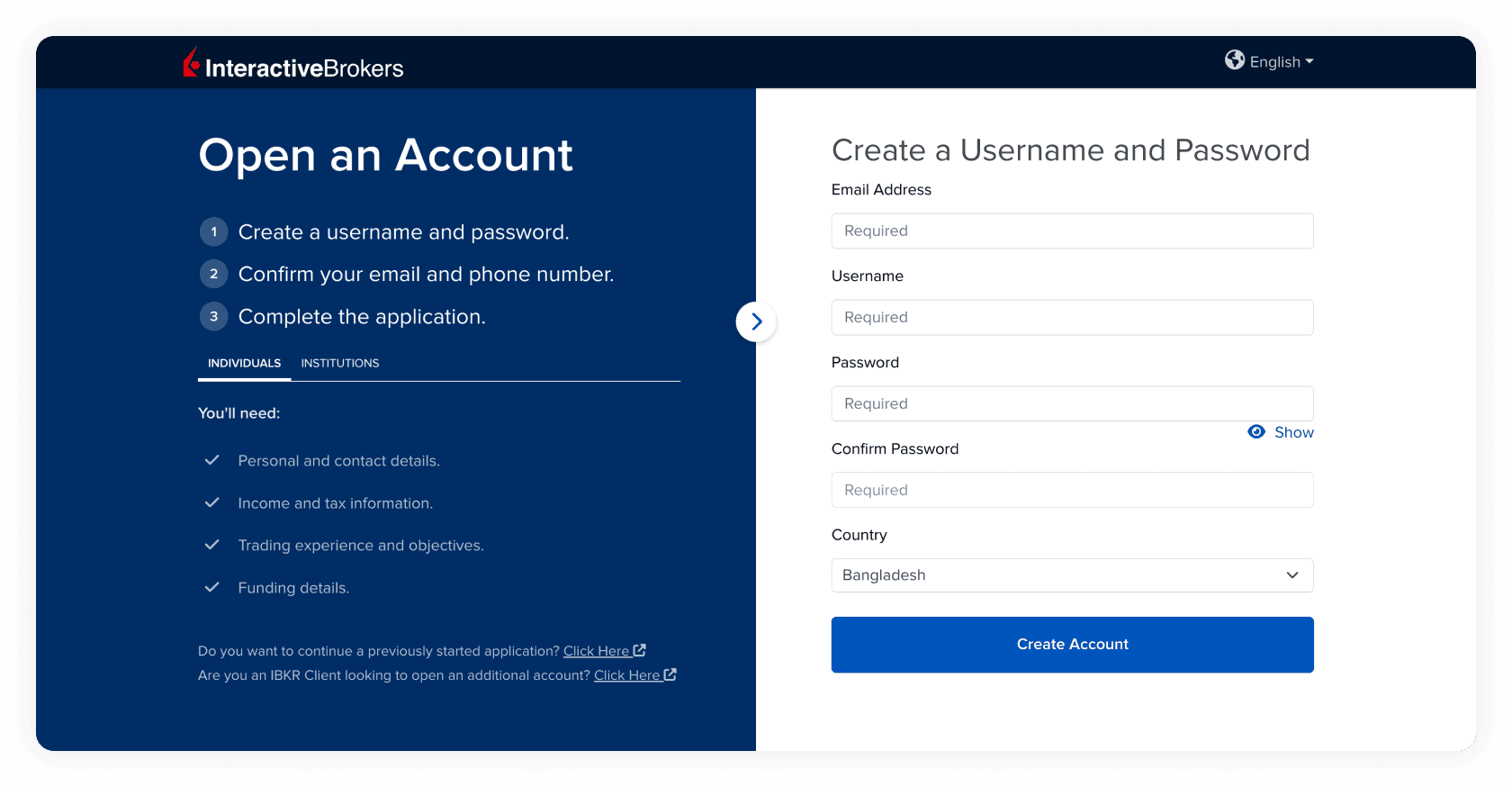
Visit the Interactive Brokers website
Click Open Account → Start Application
Enter your email, username, and password
Tip: Verify your email immediately to continue.
Pro Tip: Write down your login details securely. Recovery can be time-consuming.
Step 2: Select Account Type
Choose Individual
Set Country of Legal Residence: Pakistan
Step 3: Personal Information (Critical Step)
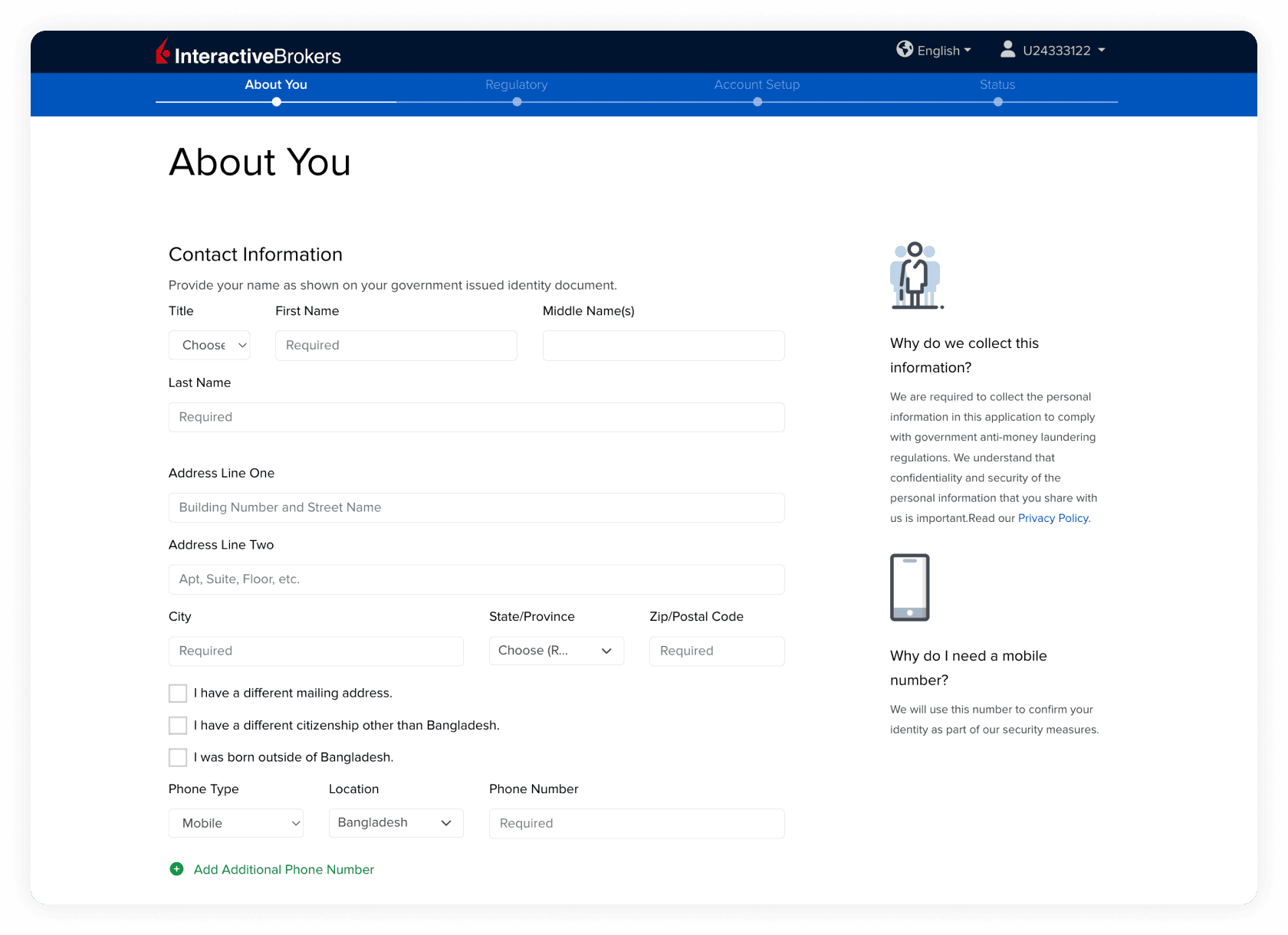
Enter your:
Full legal name
Address
Mobile number
Important:
Your name must match your Passport/CNIC exactly
Your address must match your ID document
Mismatches can delay approval.
Step 4: Tax Residency
Country: Pakistan
Enter your NTN (CNIC) if available
If you do not have one, you can select that you are unable to obtain it (e.g., student).
Step 5: Employment & Source of Wealth
Employment Status: “Employed” or “Self-Employed”
Source of Wealth: Be honest (e.g., Income from Employment or Freelancing)
Base Currency: Select USD
Selecting USD prevents unnecessary currency conversions since you will fund via Elevate Pay.
Step 6: Trading Configuration
This section determines your risk level and permissions.
Account Type: Select Cash (Recommended for beginners)
You cannot lose more than your deposit
Margin involves borrowing and higher risk
Income & Net Worth: Ensure Net Worth is higher than Liquid Net Worth
Investment Objectives: Choose “Growth” or “Hedging”
Trading Experience:
Be honest
Selecting “No Experience” for everything may limit permissions
Stock Yield Enhancement Program: Optional — you can leave unchecked
Step 7: Review & Identity Verification
Review all information carefully
Sign digitally by typing your name
Identity Verification:
You may be asked to scan a QR code with your phone
Upload a photo of:
Passport or CNIC
Selfie
If mobile upload fails, desktop upload is available.
Approval Time: A few minutes up to 3 business days.
Post-Approval: Optimize Your Account
Once approved, adjust two key settings.
1. Switch to Tiered Pricing (Lower Fees)
IBKR often defaults to Fixed Pricing (minimum $1 per trade).
For small traders, Tiered Pricing can reduce costs (minimum ~$0.35 per trade).
How to switch:
Log in → Settings → Account Configuration → IBKR Pricing Plan → Select Tiered
Note: Takes 24 hours to apply.
2. Enable Fractional Shares
Fractional shares allow you to invest small amounts in expensive stocks (e.g., NVDA, MSFT). Without this, you must buy full shares.
How to enable:
Log in → Settings → Trading Permissions → Stocks → Check Global Trade in Fractions
Funding Your IBKR Account
Learn How to fund your Interactive Broker (IBKR) account with Elevate Pay using PLAID
Frequently Asked Questions (FAQ)
Can I withdraw funds back to Pakistan?
Yes. You can:
Withdraw from IBKR to Elevate Pay
Then remit from Elevate Pay to your local Pakistan bank or wallet.
Disclaimer: This article is for informational purposes only and does not constitute financial advice. All investments involve risk, including the potential loss of principal. Please conduct your own research before making investment decisions.


Recent Articles




DO MORE WITH ELEVATE PAY
Transfer money with Elevate Pay with low fees and competitive FX rates. Our users love us for transparency, security and more.