




If you're a freelancer or remote worker earning in USD, you can now invest directly in U.S. and global markets. Historically, freelancers in emerging markets such as Bangladesh or Pakistan have faced significant hurdles when trying to invest globally due to local banking restrictions on outward transfers.
With Elevate Pay, that barrier is gone. Because Elevate Pay provides you with a U.S. bank account, you can transfer funds seamlessly and start building your wealth internationally.
Before we dive into buying your first stock, this guide assumes you have already set up and funded your IBKR account. If you haven't done that yet, please refer to our previous step-by-step guides:
How to Open an Individual Interactive Brokers (IBKR) Account from Bangladesh or Pakistan
How to connect and fund your Interactive Broker (IBKR) account with Elevate Pay using PLAID.
Once your account is open and your Elevate Pay funds have successfully settled, you are ready to make your first trade.
Here is a simple step-by-step guide on how to buy stocks on IBKR.
Step 1: Log in to your IBKR Account
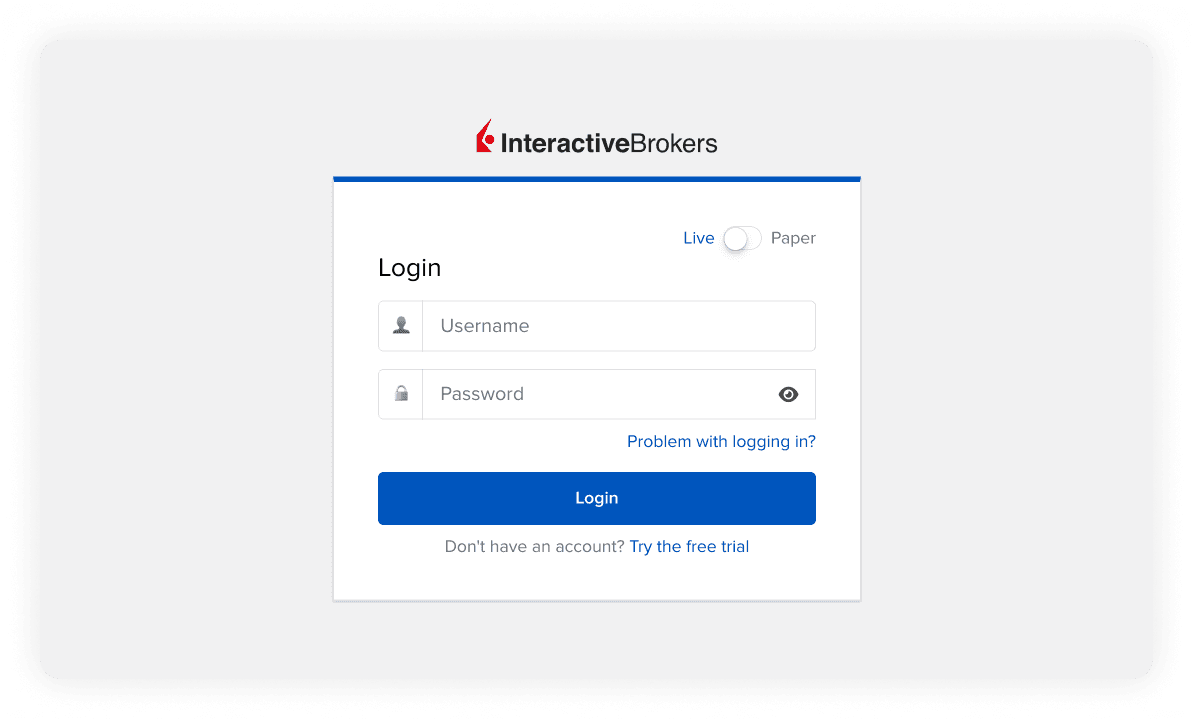
Go to the Interactive Brokers website or open the IBKR mobile app.
Log in using your username, password, and complete the Two-Factor Authentication (2FA).
Step 2: Search for a Stock or ETF
Once you are on the main dashboard, it’s time to find the company or fund you want to invest in.
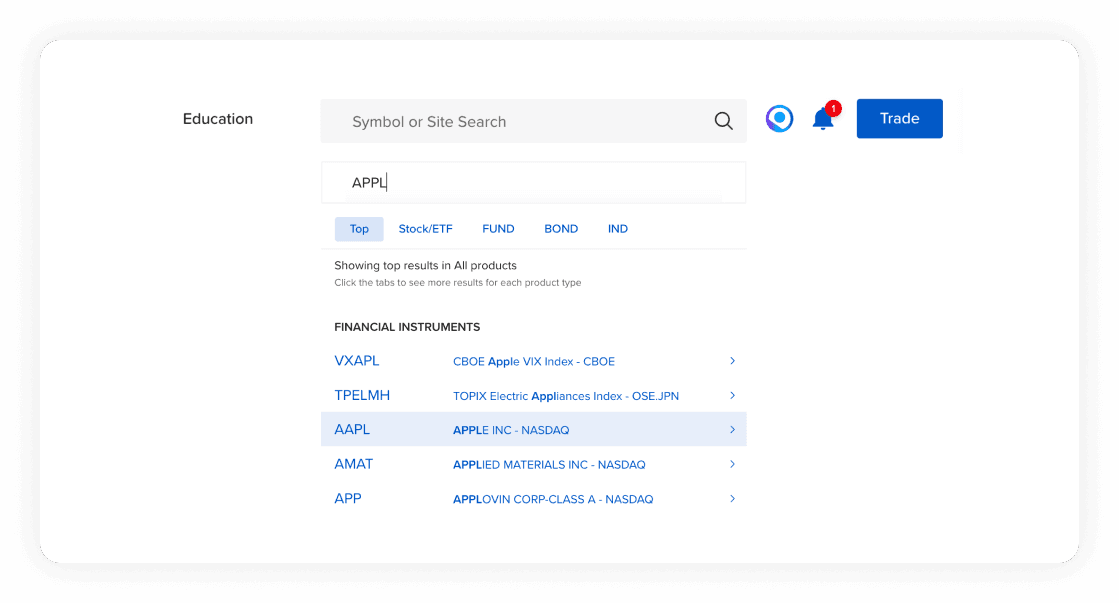
Locate the Search Bar at the top right of the screen (or the magnifying glass icon on mobile).
Type in the name of the company (e.g., "Apple" or "Microsoft") or its ticker symbol (e.g., "AAPL" or "MSFT").
Select the correct stock from the dropdown menu. Make sure it says Stock to ensure you are buying the actual shares.
Step 3: Open an Order Ticket
Clicking the stock will take you to its detailed quote page, where you can see its current price and historical performance.
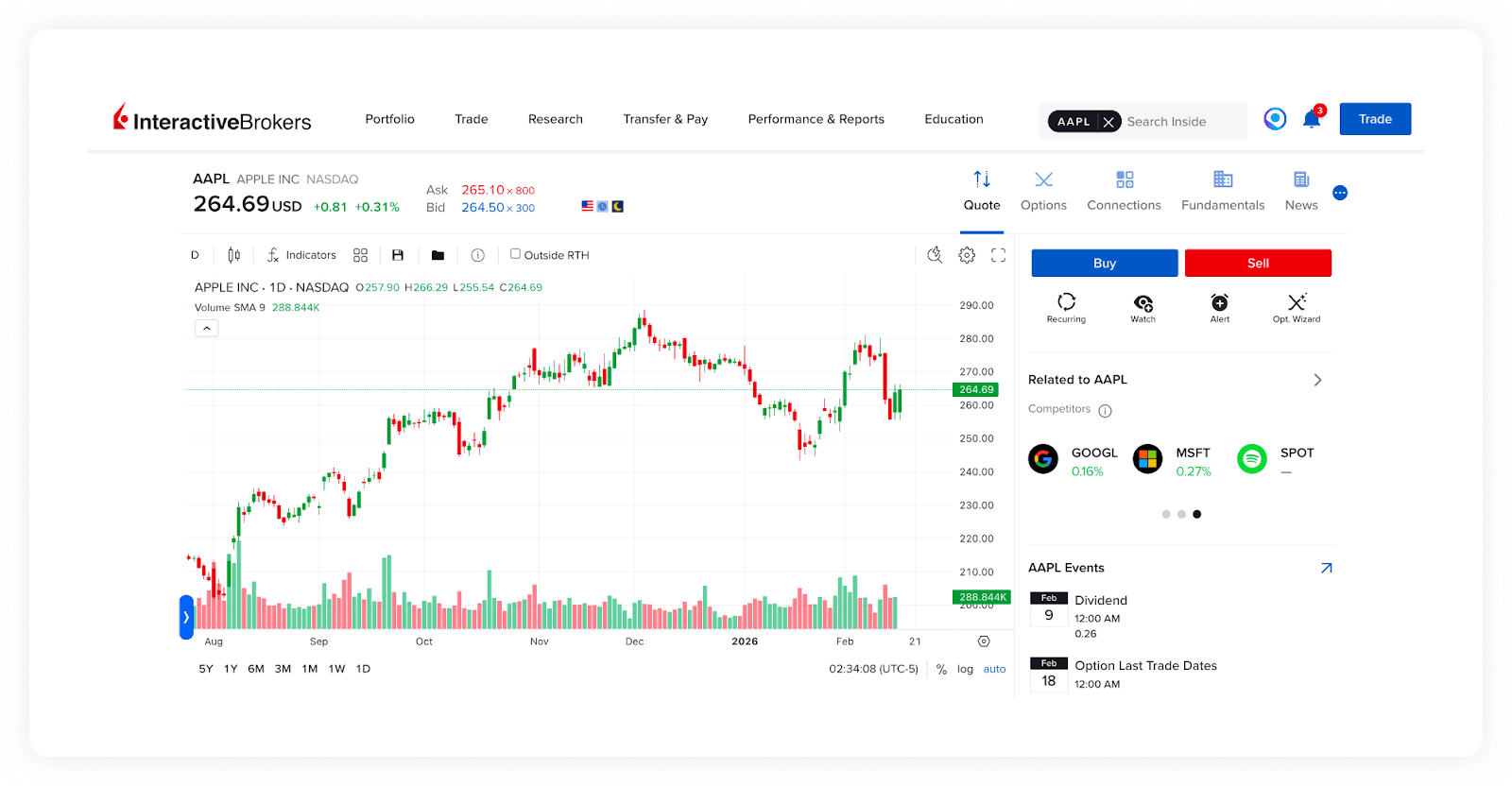
Click the blue Buy button.
This will open the Order Ticket on your screen.
Step 4: Choose Your Order Type
IBKR offers many advanced order types, but as a beginner, you only need to know two:
Market Order (MKT): This executes your trade immediately at the current available market price.
Limit Order (LMT): This allows you to set a specific price you are willing to pay. The order will only execute if the stock price drops to your limit.
Recommendation for beginners: Use a Market Order for instant execution at the current price during regular trading hours. Orders placed after hours will remain pending until the market opens. If you want to control your price, use a Limit Order, which only executes when your target price is met.
Step 5: Enter the Quantity
You can choose how much you want to invest in two ways:
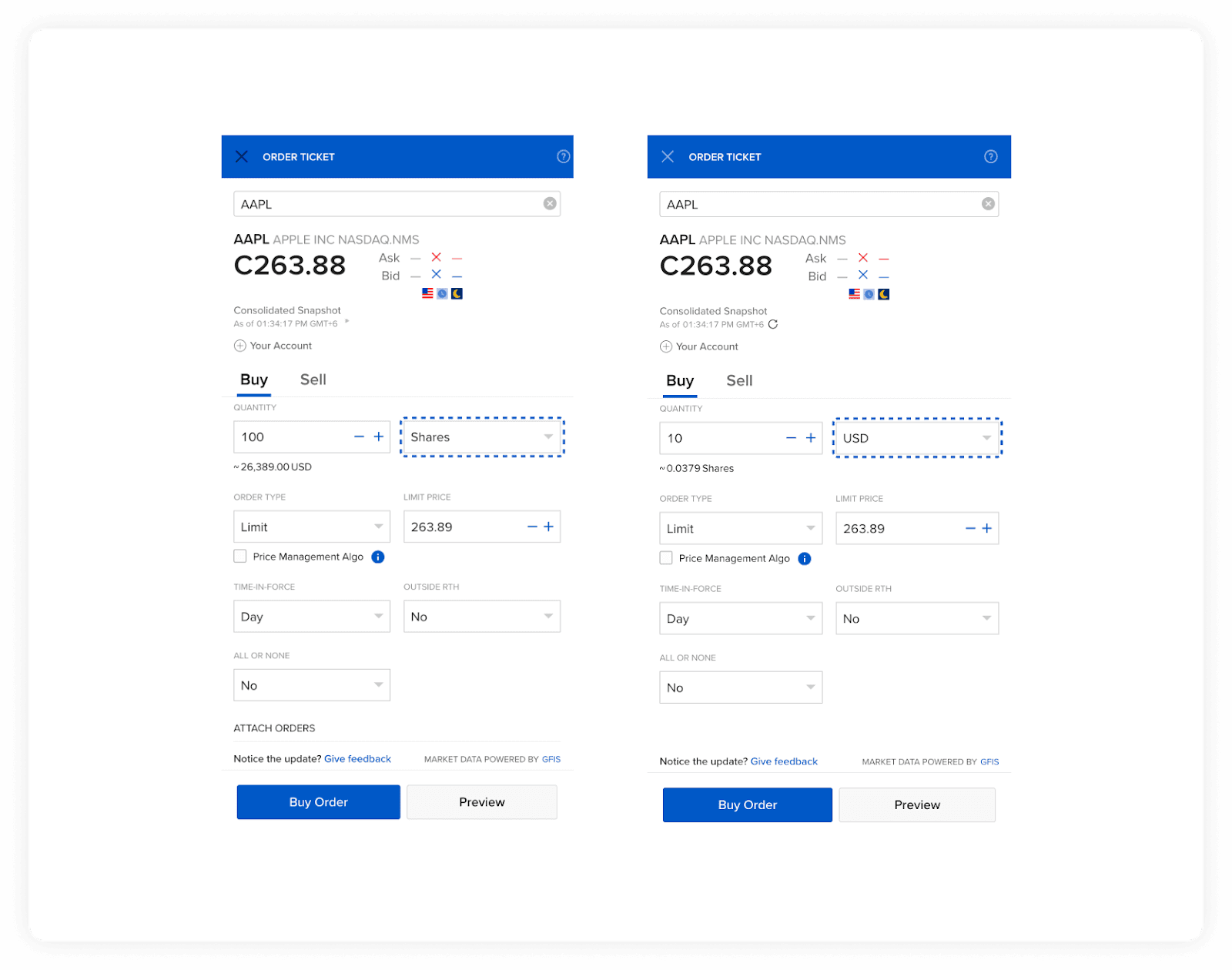
Shares: Type the exact number of shares you want to buy (e.g., 2 or 100 shares).
USD Amount: If you enabled Fractional Shares in your account settings, you can simply type the dollar amount you want to invest (e.g., $10). Fractional shares allow you to invest small amounts in expensive stocks.
Step 6: Preview and Submit
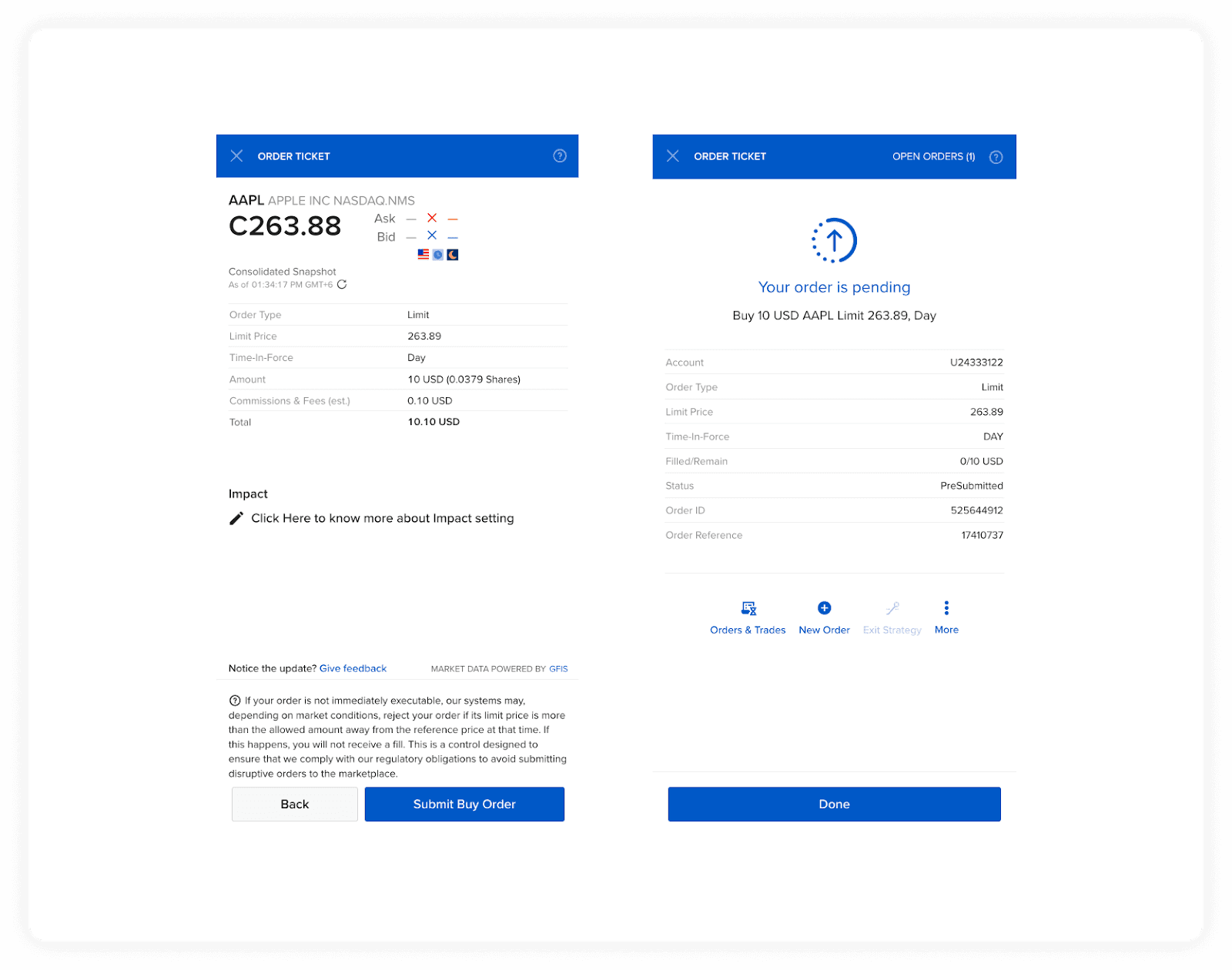
Click Preview to review the order details.
Check the total cost, estimated commissions, and the amount of cash you will have left.
If everything looks good, click Submit Buy Order.
If you placed a Market Order during regular trading hours, you should see a "Success" or "Order Filled" notification almost immediately. If you choose a Limit Order, your order will show as "Pending" and will execute only when the stock reaches your specified price.
Any trade placed outside of regular trading hours will simply remain pending until the market opens. Once your order is officially filled, you will see the new shares reflected in your portfolio dashboard.
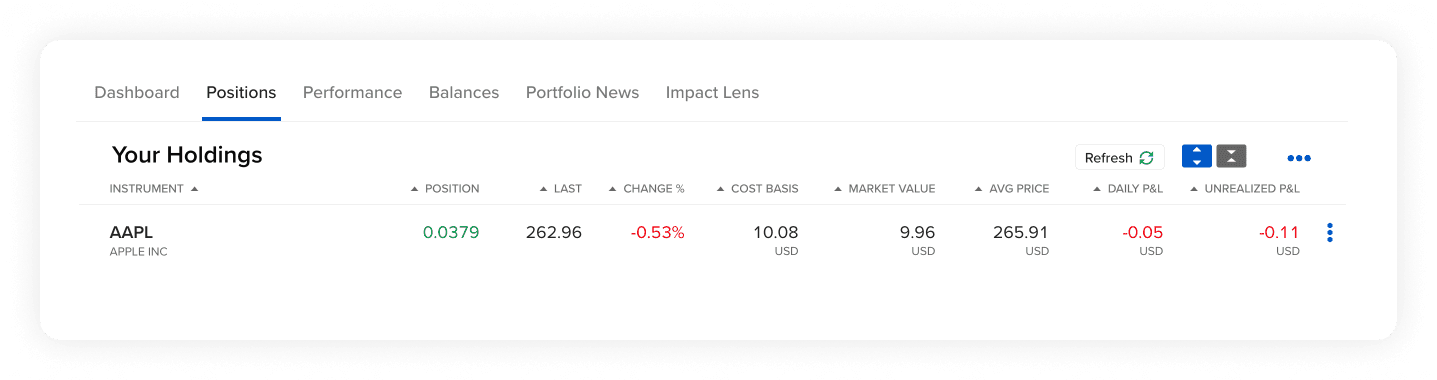
Congratulations, you are officially a shareholder!
Pro-Tips for Optimizing Your IBKR Account
Switch to Tiered Pricing: IBKR often defaults to Fixed Pricing. For freelancers investing smaller amounts, switching to Tiered Pricing can reduce your costs. You can change this by going to Settings → Account Configuration → IBKR Pricing Plan.
Invest in ETFs: If you don't want to pick individual companies, you can diversify your portfolio by investing in ETFs (Exchange Traded Funds) like the S&P 500.
Frequently Asked Questions (FAQ)
When can I buy U.S. stocks?
The U.S. stock market is open Monday through Friday, from 9:30 AM to 4:00 PM Eastern Time (ET). You can place orders outside these hours, but Market Orders will not execute until the market opens.
Can I withdraw my earnings back to Pakistan or Bangladesh?
Yes. When you sell your stocks, you can withdraw your USD from IBKR back to your Elevate Pay account. From there, you can easily remit the funds to your local bank account.
Do I need to buy a whole share?
No. By enabling global trade in fractions in your IBKR Trading Permissions, you can buy a piece of a share for as little as $1.
Disclaimer: This article is for informational purposes only and does not constitute financial advice. All investments involve risk, including the potential loss of principal. Please conduct your own research before making investment decisions.


Recent Articles

DO MORE WITH ELEVATE PAY
Transfer money with Elevate Pay with low fees and competitive FX rates. Our users love us for transparency, security and more.