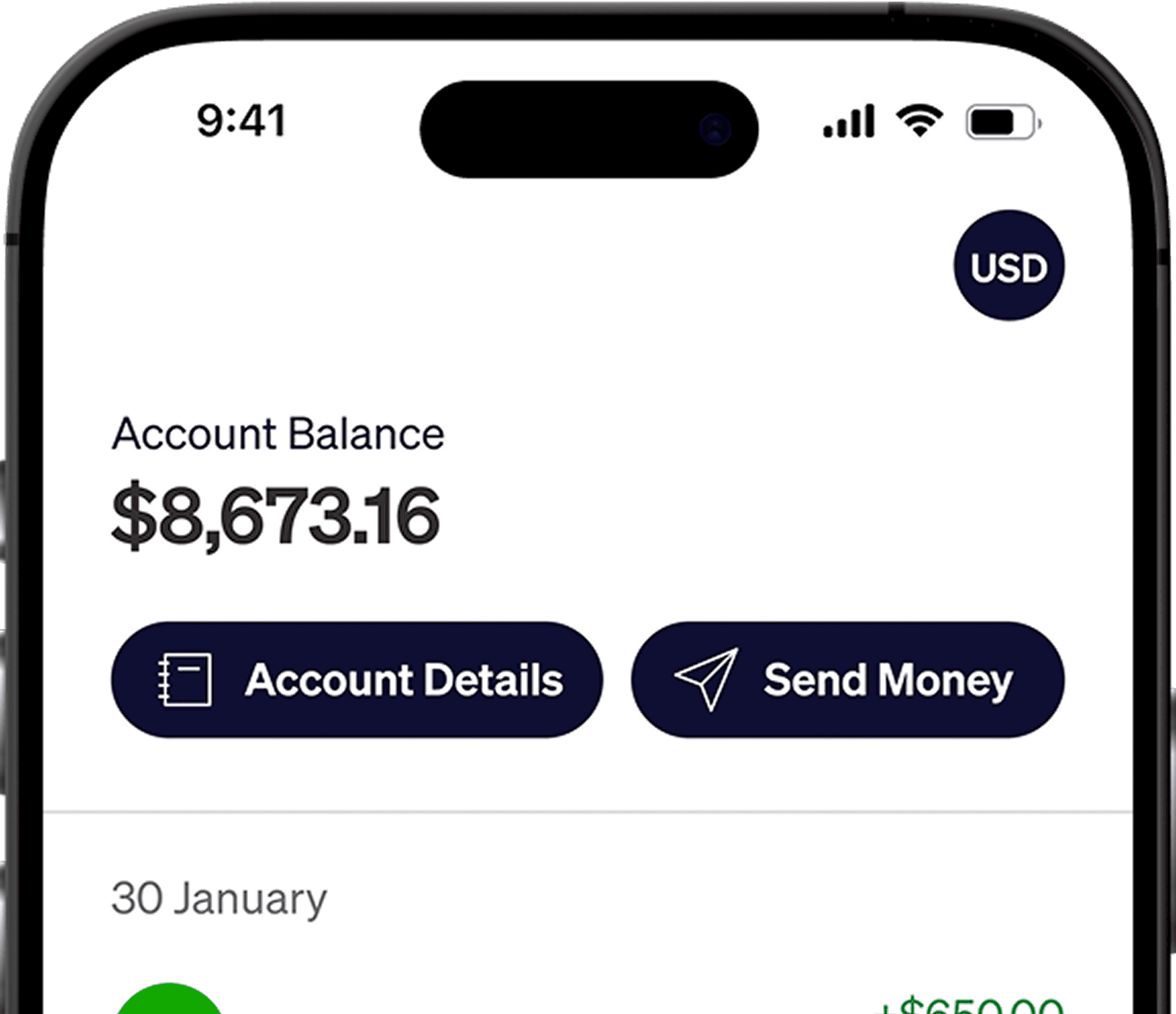





As a remote professional or freelancer earning in USD, you now have the power to invest directly in the U.S. stock market.
Before placing your first trade, this guide assumes you have already created and funded your Alpaca account. If you are still at the setup phase, be sure to check out our previous step-by-step walkthroughs:
How to Open an Individual Alpaca Trading Account from Pakistan and Bangladesh
How to connect and fund your Alpaca Trading Account with Elevate Pay using Plaid
Once your account is up and running and your Elevate Pay transfer has settled, you are ready to dive into the market.
Here is a straightforward guide to buying your first stock using the Alpaca web dashboard.
Step 1: Accessing Your Alpaca Account
Head over to the Alpaca Markets website and click the Log In button.
Enter your email and password, then clear any Two-Factor Authentication (2FA) prompts you have enabled.
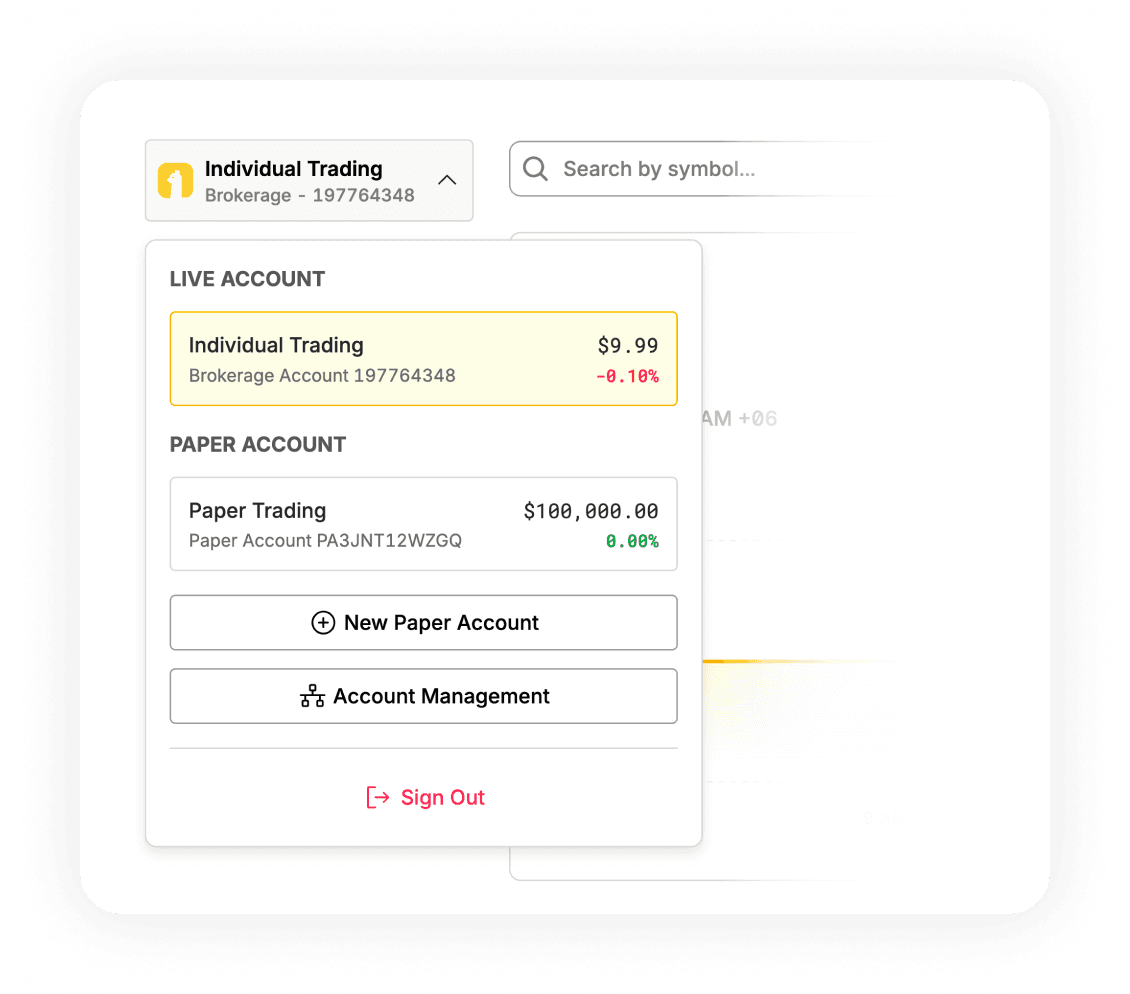
Once inside, check the top-left corner of your screen. Alpaca features both simulated and real-world trading environments. For this guide, we are selecting Live Trading, which currently shows a balance of $9.99, compared to the $100,000.00 available in your Paper Trading account. Ensure you have selected the live account to invest actual funds.
Step 2: Finding Your Desired Stock or ETF
Now that you're on the Live Trading dashboard, let’s locate the company or fund you wish to purchase.
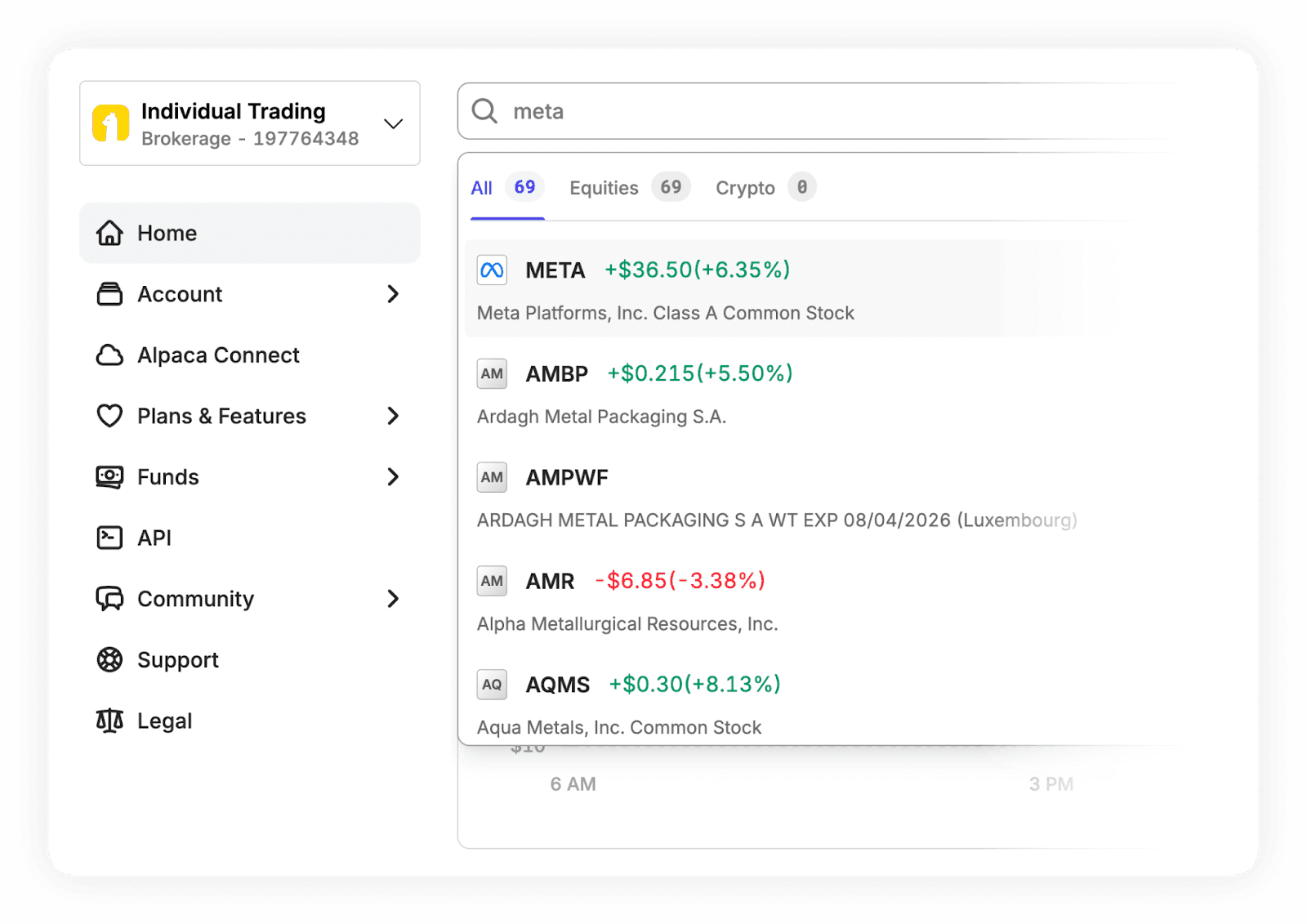
Find the Search bar positioned at the top of the interface.
Type in the company’s name (such as "Meta Platforms, Inc.") or its unique ticker symbol (e.g., "META").
Click on the appropriate result from the dropdown list. This will take you to the asset's dedicated page, complete with price charts and historical data.
Step 3: Setting Up Your Trade
On the stock's dedicated page, you'll find everything you need to execute your purchase.
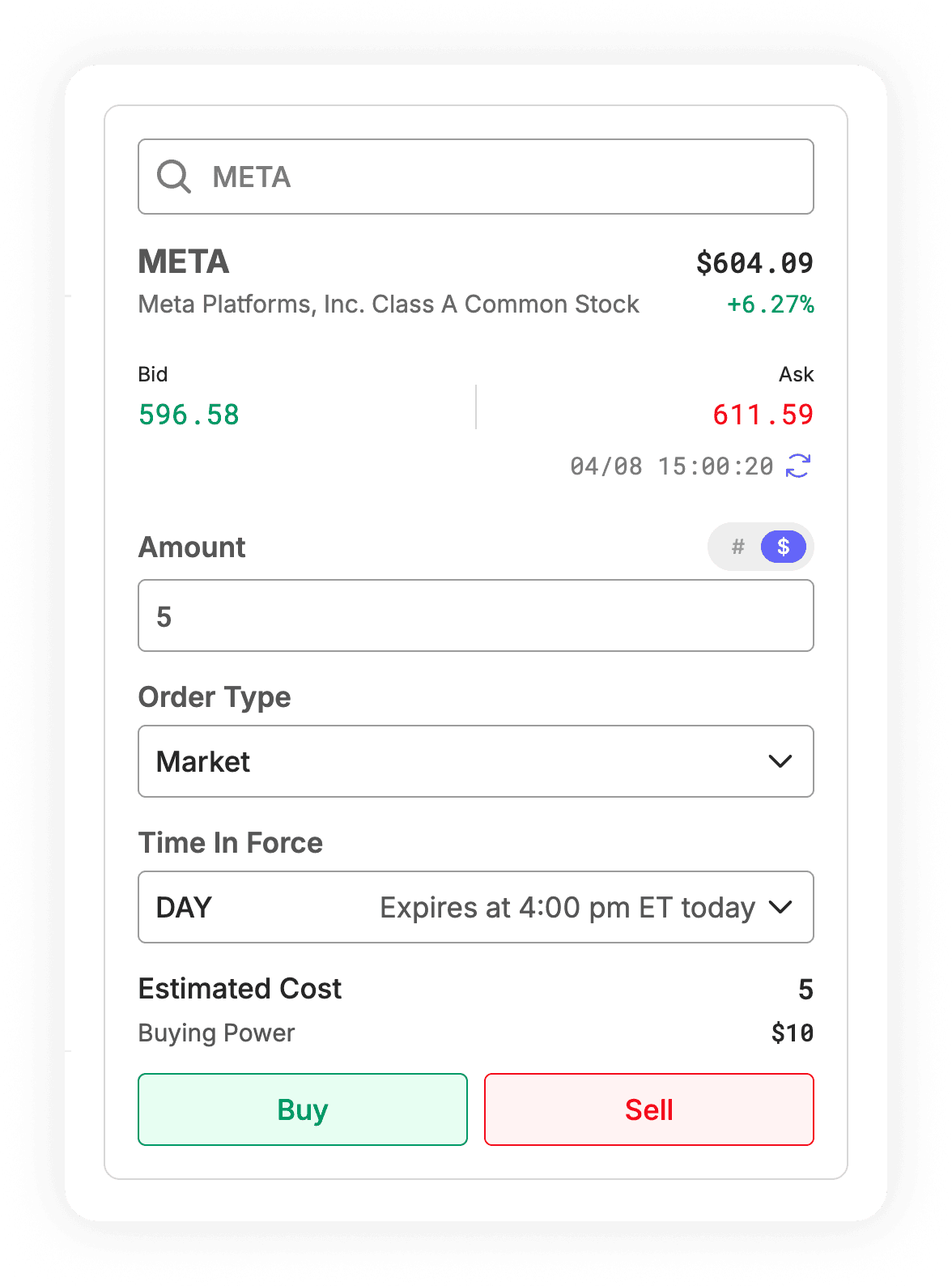
Direct your attention to the right side of the screen where the Order Ticket panel is located.
Double-check that the transaction Side is set to Buy (and not Sell).
Step 4: Selecting the Right Order Type
While Alpaca caters to advanced traders with a wide variety of order types, beginners really only need to grasp two basic concepts:
Market Order: This buys the stock immediately at whatever the current market price happens to be.
Limit Order: This lets you specify the exact maximum price you are willing to pay. The trade will only go through if the stock's price falls to your target limit.
Recommendation for beginners: A Market Order is the easiest way to guarantee your trade goes through instantly during normal market hours. If you want strict control over your entry price, opt for a Limit Order.
Step 5: Deciding How Much to Invest
Alpaca lets you determine your investment size in two convenient ways. Given our $9.99 balance and the high price of META shares, we will use the By Dollars (Fractional Shares) method to invest exactly $5.
By Shares: Enter the exact number of whole shares you wish to purchase (e.g., 5 or 50 shares).
By Dollars (Fractional Shares): Switch the input format to USD and type in "5". Alpaca will automatically calculate the fractional slice of a META share your $5 buys, allowing you to invest in high-priced stocks even with a small account balance.
Step 6: Finalizing Your Purchase
Look at the Time in Force (TIF) dropdown. Leaving it on "Day" is standard practice—this simply means if your order isn't completed by the time the market closes, it will automatically cancel.
Review your estimated total cost to confirm it fits within your available Elevate Pay balance.
Once you're confident in the details, click the Buy button to send your order to the market.
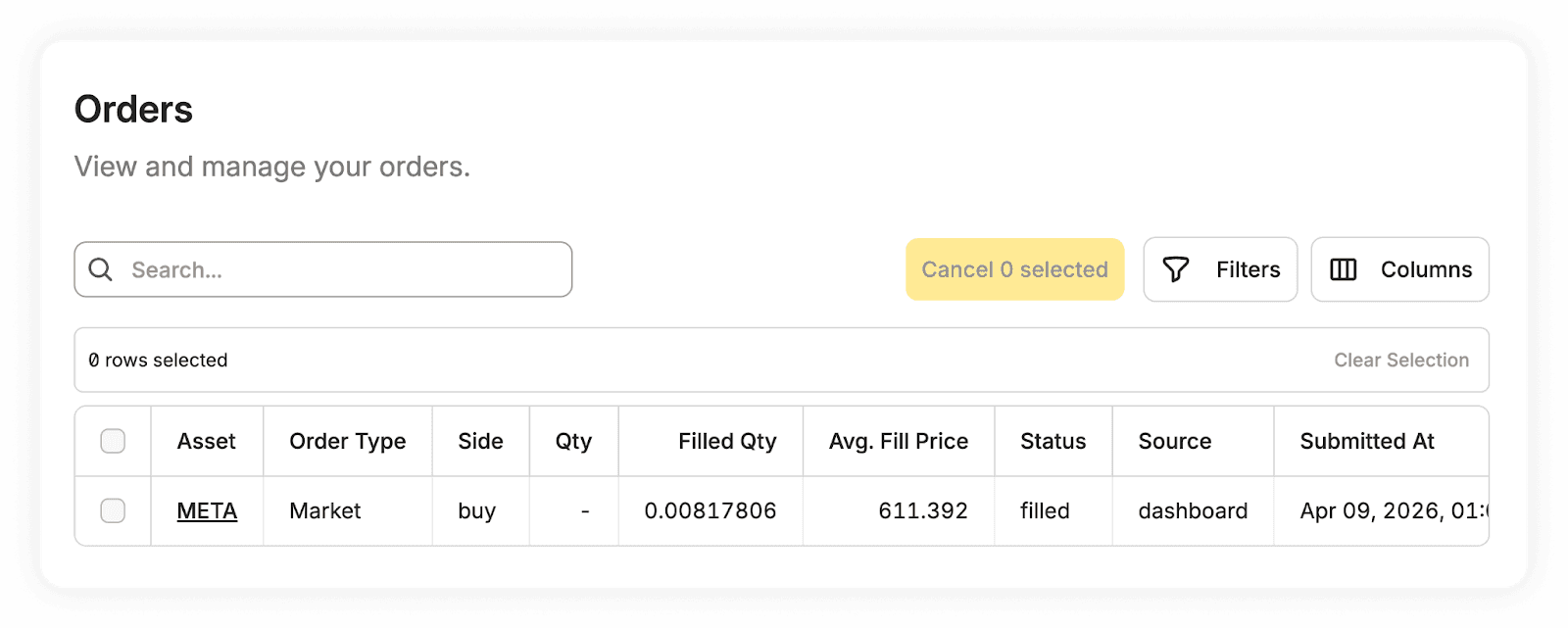
After sending your order, you can track its status in the Orders tab. In this example, the market buy order for $5 was successfully "filled," resulting in the purchase of 0.00817806 fractional shares of META at an average price of $611.392.
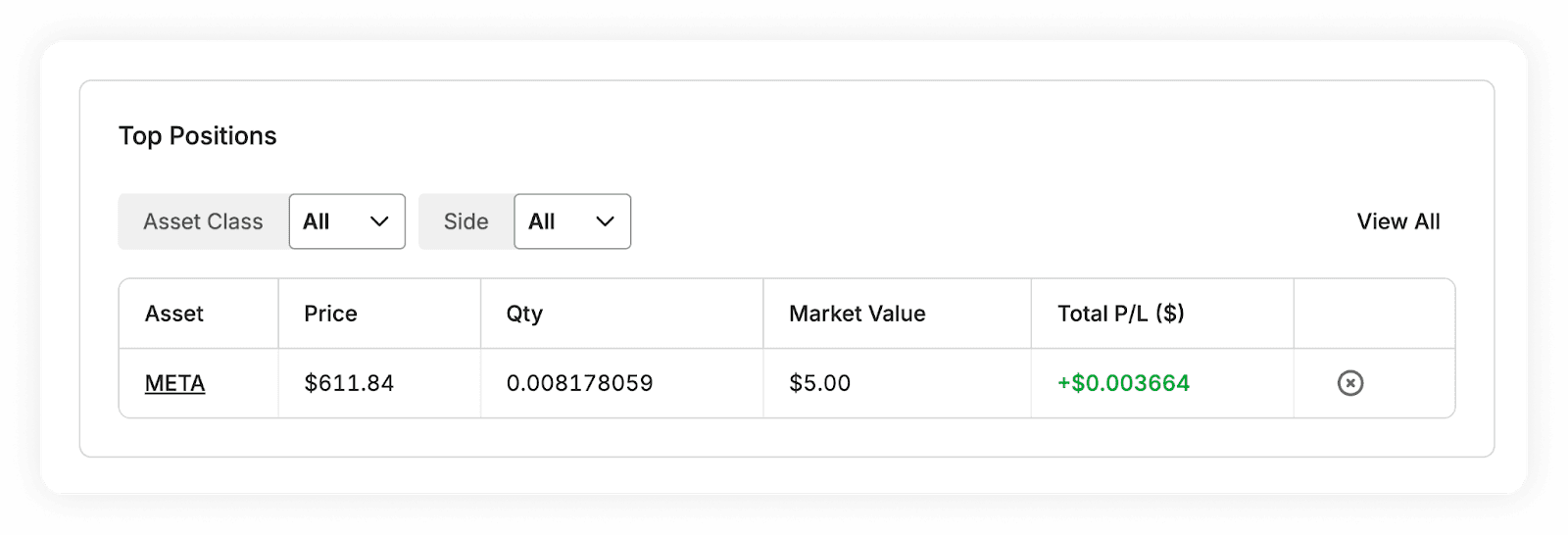
After your order is officially completed, your newly acquired shares will show up under the Positions tab on your main dashboard.
Your dashboard will now reflect your new portfolio position. You now hold 0.008178059 fractional shares of META with a current market value of $5.00, marking the start of your investment journey.
Congratulations, you are officially an investor!
Pro-Tips for Getting the Most Out of Alpaca
Test the Waters with Paper Trading
Alpaca is widely praised for its excellent Paper Trading feature. If you want to build confidence before risking real money, toggle your dashboard from "Live" to "Paper" and practice trading with $100,000 in virtual funds.
Consider ETFs for Diversification
If picking individual stocks feels overwhelming, you can buy a basket of top companies all at once using ETFs (Exchange Traded Funds). For example, buying the S&P 500 (tickers like SPY or VOO) gives you exposure to the 500 largest U.S. companies.
Frequently Asked Questions (FAQ)
When are the stock markets open?
The standard U.S. stock market operates Monday through Friday, from 9:30 AM to 4:00 PM Eastern Time (ET). While you can queue up Market Orders over the weekend or at night, they won't actually be processed until the opening bell. (Note: Alpaca does offer extended hours and 24/5 trading on certain assets if you prefer trading outside standard times).
How do I bring my profits back home?
It's very straightforward. When you sell your shares, you can withdraw your USD balance from Alpaca directly back to your Elevate Pay account. From there, you can route the money straight into your local bank account in Pakistan or Bangladesh.
Is it mandatory to buy a full share?
Not at all. Because Alpaca supports fractional share trading, you can purchase a piece of a share for as little as $1. This means you can invest in premium companies regardless of how high their individual share prices climb.
Disclaimer: This article is for informational purposes only and does not constitute financial advice. All investments involve risk, including the potential loss of principal. Please conduct your own research before making investment decisions.


Recent Articles

DO MORE WITH ELEVATE PAY
Transfer money with Elevate Pay with low fees and competitive FX rates. Our users love us for transparency, security and more.