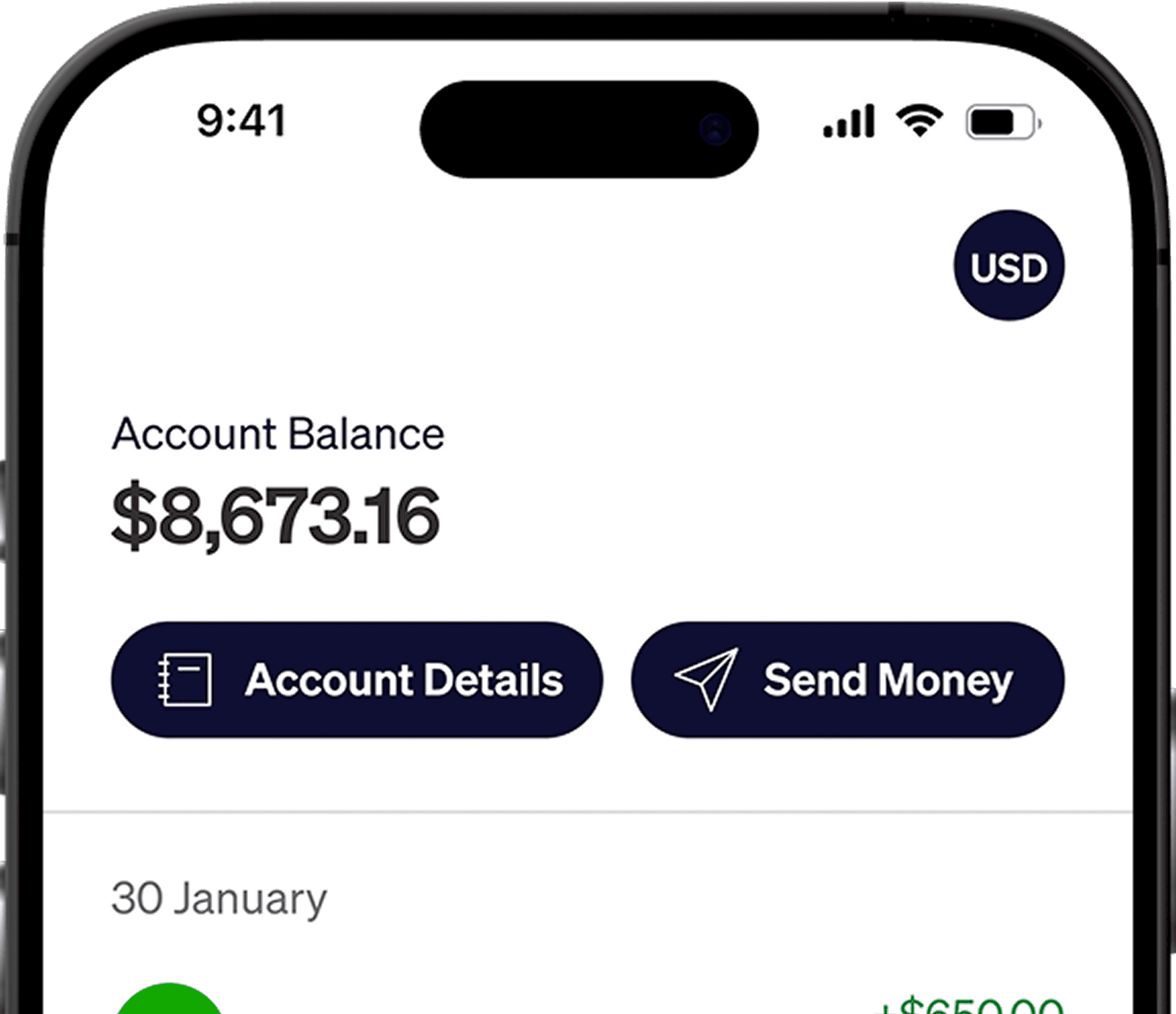





If you're a freelancer or remote worker earning in USD, you can now invest directly in U.S. and global markets. With Elevate Pay, funding an Alpaca account is simpler than ever. You receive a U.S. bank account, which allows you to transfer funds to Alpaca via ACH without dealing with international wire restrictions from local banks.
This guide explains:
What Alpaca is
What you need to open an account
Step-by-step instructions
What is Alpaca?
Alpaca is a modern API-first stock brokerage platform that allows developers and investors to trade stocks, options, and crypto seamlessly. For freelancers earning in USD, it provides access to international markets without needing a local intermediary.
The Elevate Pay Advantage: Solving the Funding Barrier
Historically, the biggest obstacle wasn't opening the account, it was funding it. Local banks in Pakistan typically restrict outward investment transfers without special approval.
Because Elevate Pay provides you with a U.S. routing and account number:
You can link and fund it directly to your brokerage account using Plaid (ACH)
Transfers are typically low-cost or free
Processing is almost instant and faster than wire transfers
Account Opening Requirements
To open an Alpaca account as a Pakistani resident:
Age: 18+
Residency: Legal resident of Pakistan
Income Source: You must declare a legitimate source of wealth.
Required Documents
Prepare these before starting:
Category | Requirements & Details |
Proof of Identity | • Passport (valid, signature page included) • National ID (front & back) |
Proof of Address (Optional) | Must be < 6 months old. • Bank statement (most reliable) • Utility bill |
Tax ID | • Enter your CNIC number |
Step-by-Step: How to Open Your Account
The full application takes just a few minutes.
Step 1: Start the Application & Create Login
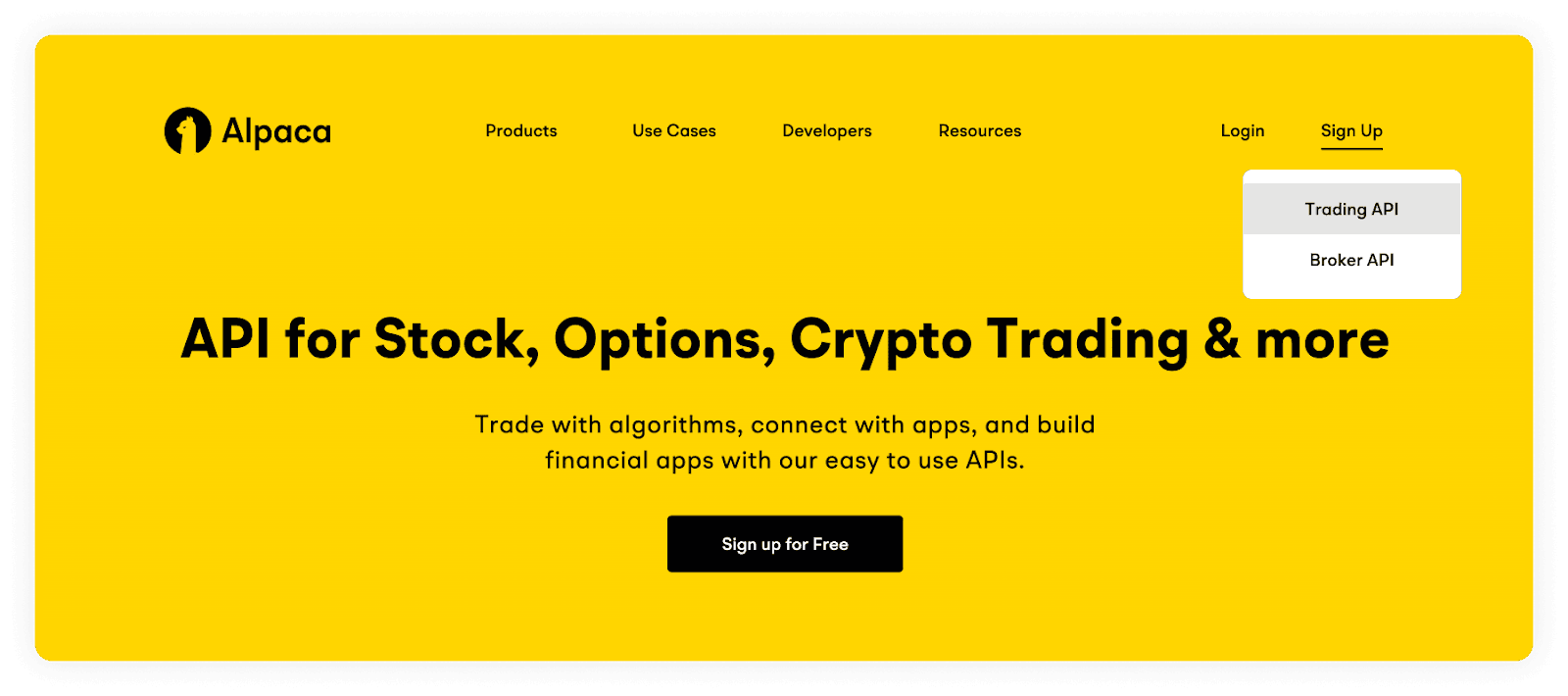
Visit the official Alpaca website, click Sign Up, and select the Trading API option.
Step 2: Enter Account Credentials
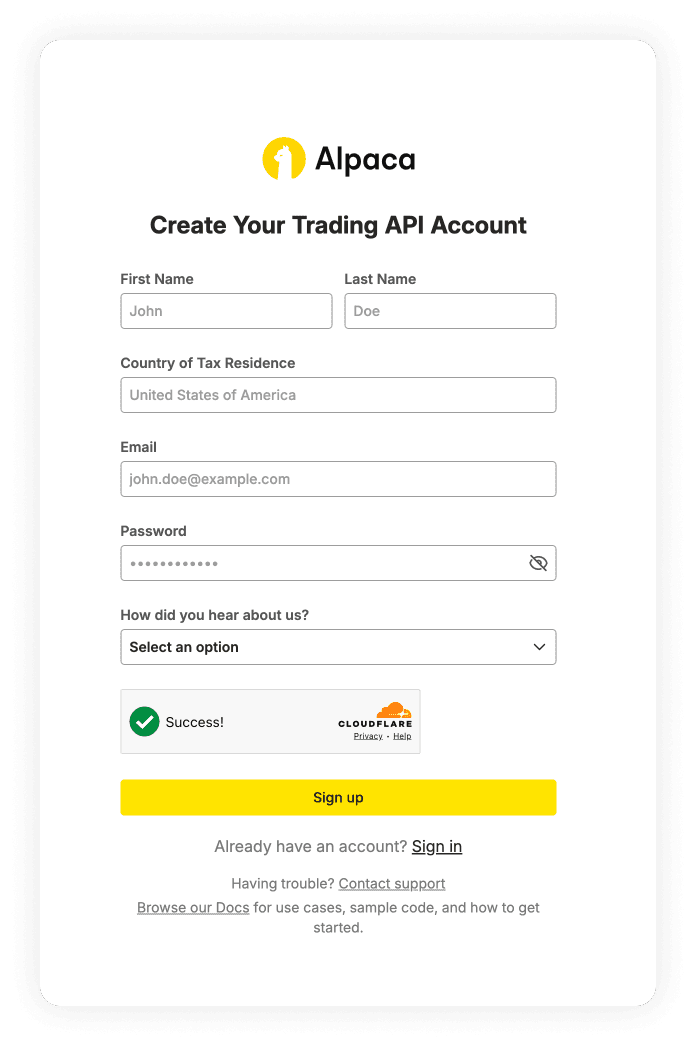
Fill in your First Name, Last Name, and set your Country of Tax Residence to Pakistan. Provide your email address, create a strong password, and click Sign up.
Step 3: Select Account Type
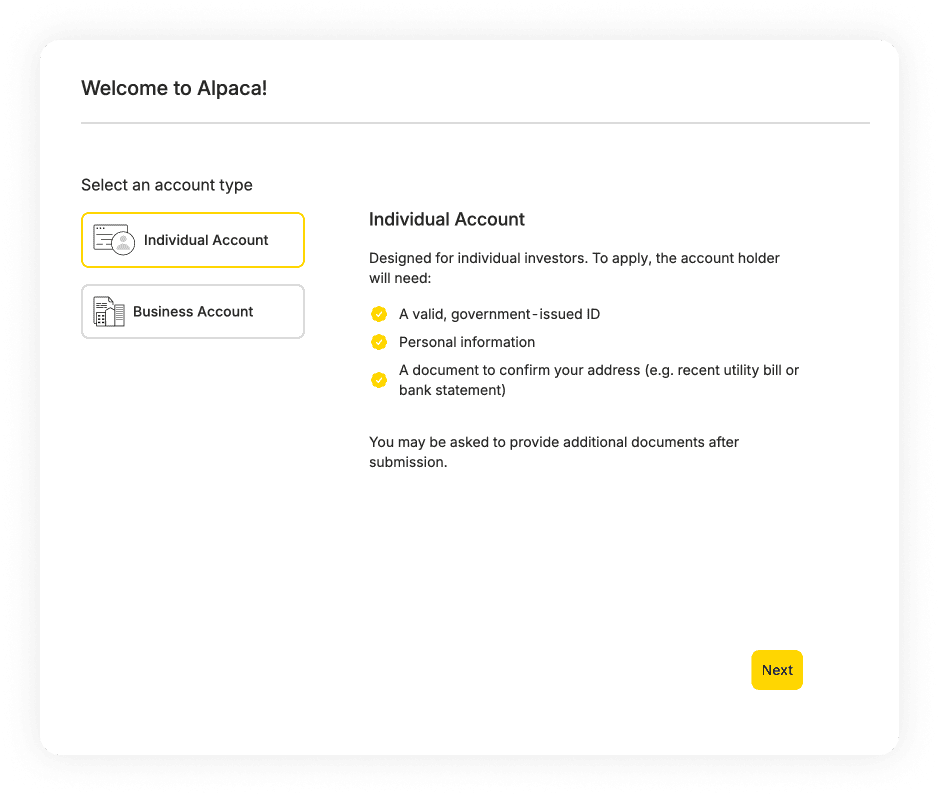
When welcomed to the platform, select Individual Account. You will be reminded that you need a valid government-issued ID, personal information, and an address confirmation document.
Step 4: Personal Information & Financial Profile
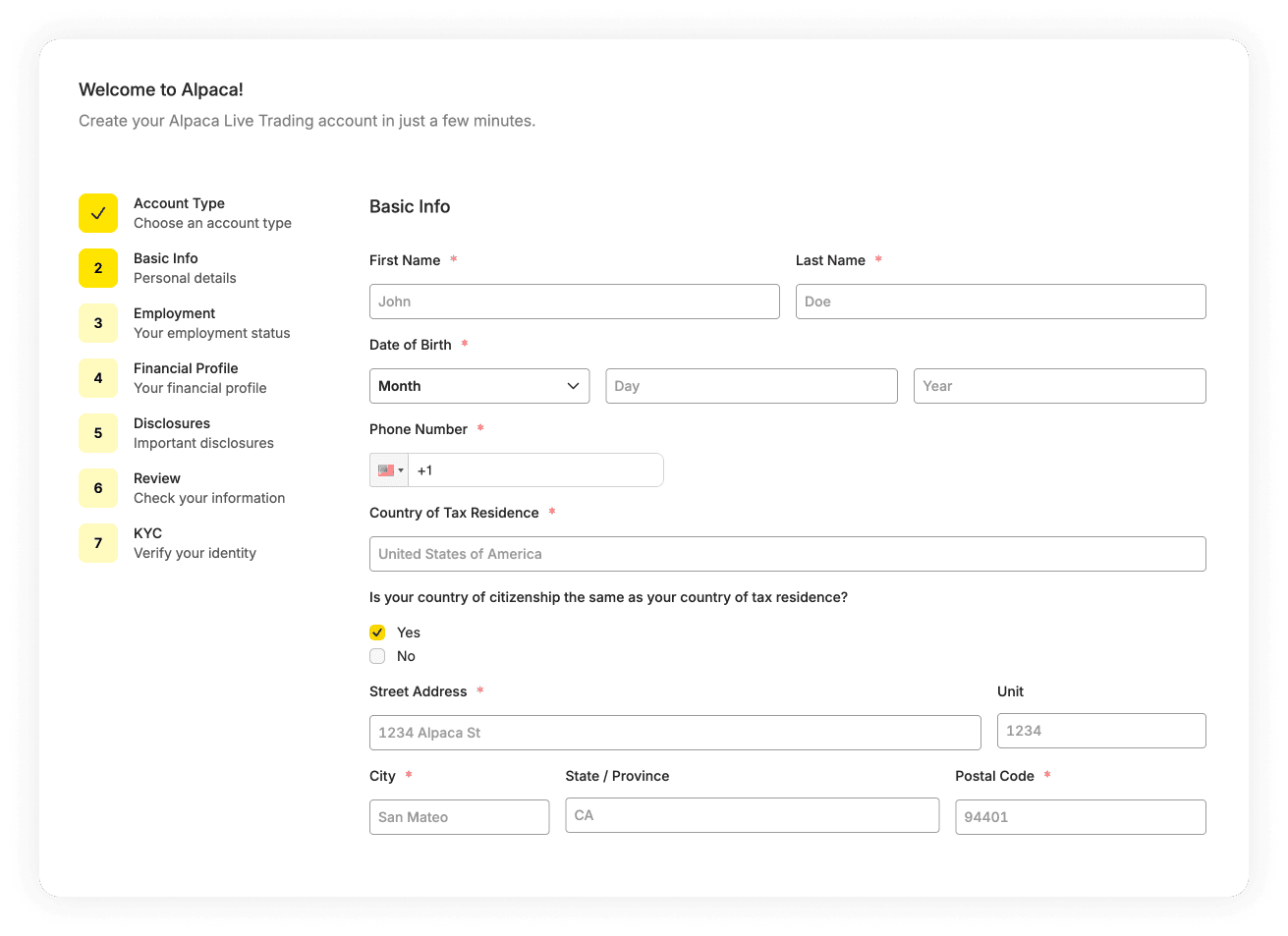
Fill out your Basic Info.
Enter your exact Name, Date of Birth, and Phone Number.
Provide your residential Street Address, City, State/Province, and Postal Code.
Confirm if your country of citizenship matches your tax residence.
Continue through the prompts to answer questions about your Employment and Financial Profile.
Step 5: Review & Disclosures
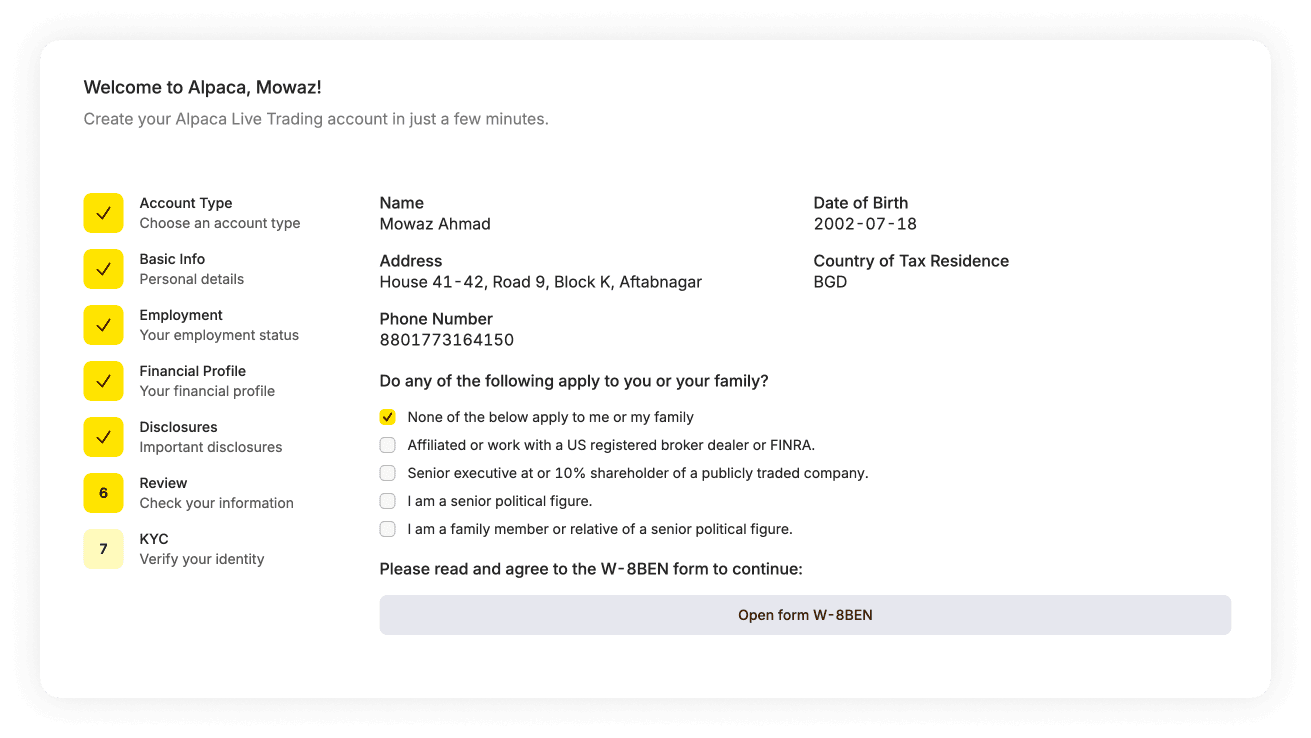
Carefully review the summary of your information.
Under the disclosures section, unless you have specific financial industry affiliations, you will typically check "None of the below apply to me or my family".
Read and agree to the W-8BEN form to continue as a non-U.S. resident.
Step 6: Identity Verification (KYC)
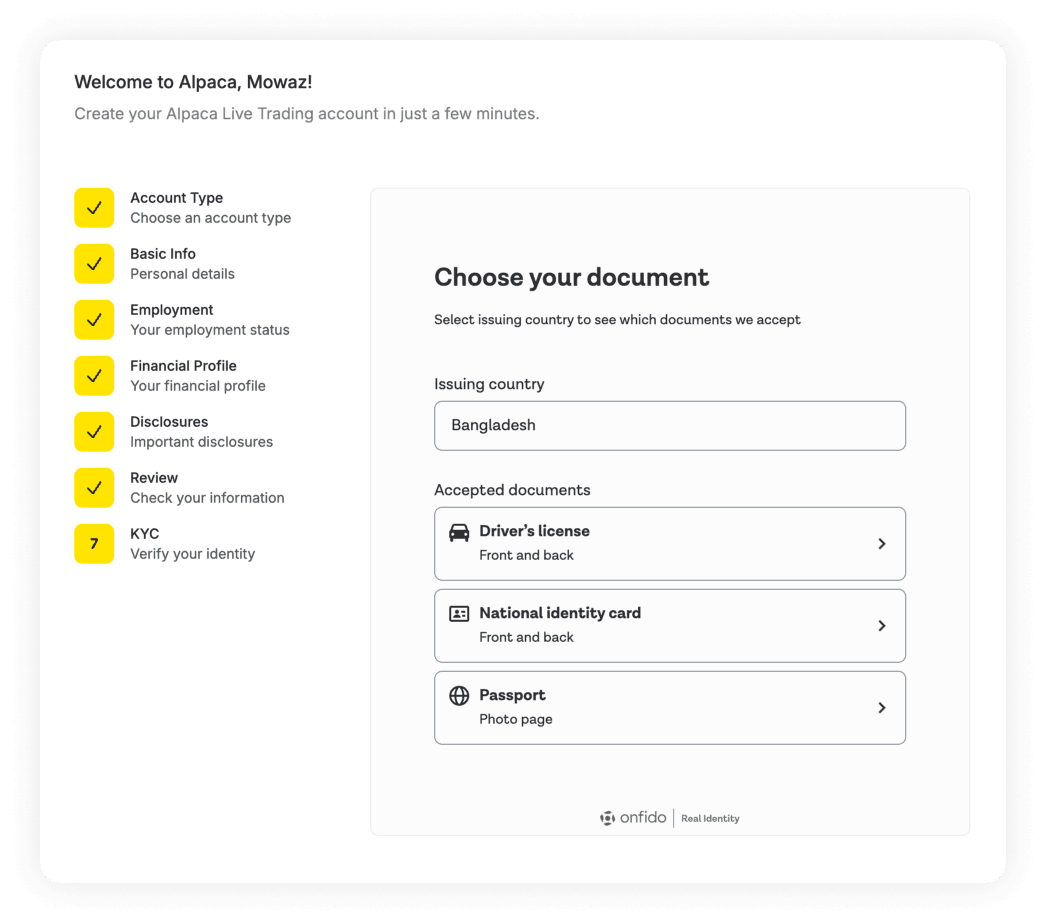
Complete the KYC process powered by Onfido.
Ensure the issuing country is set to Pakistan.
Select your preferred document: Driver's license, National identity card, or Passport.
Upload clear photos of the requested document.
Step 7: Access the Dashboard
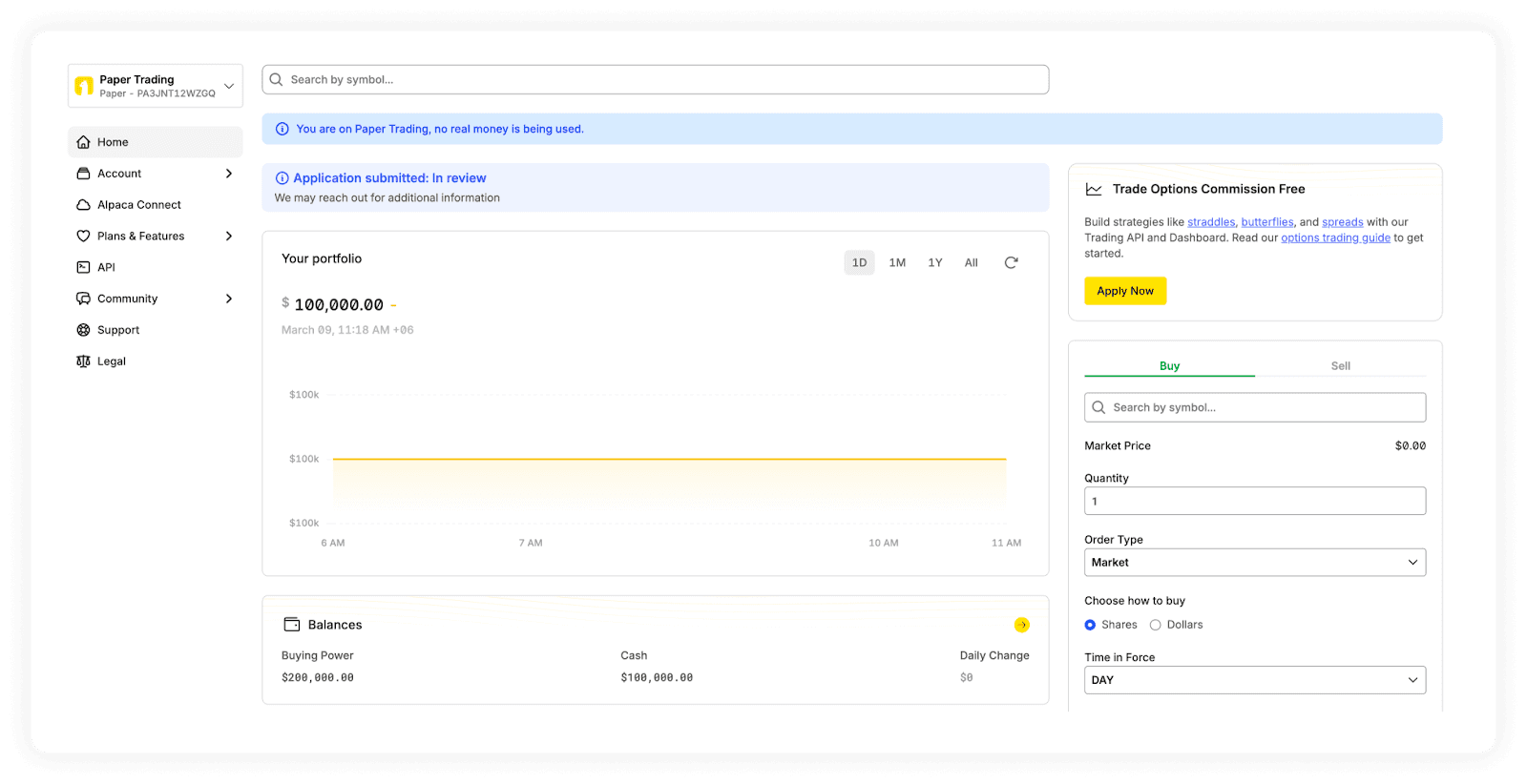
Once submitted, you will be taken to your Alpaca dashboard. You will see a notice that your application is "In review". While you wait for approval, you can switch your dashboard to Paper Trading to test out strategies with simulated funds. It might take a few minutes to a couple of days to get your account approved.
Funding Your Alpaca Account
Learn How to fund your Alpaca account with Elevate Pay using PLAID here
Disclaimer: This article is for informational purposes only and does not constitute financial advice. All investments involve risk, including the potential loss of principal. Please conduct your own research before making investment decisions.


Recent Articles




DO MORE WITH ELEVATE PAY
Transfer money with Elevate Pay with low fees and competitive FX rates. Our users love us for transparency, security and more.