



If you're reading this, your Upwork payment failed, and you probably saw something like “R23 return code” or “credit entry refused by receiver.”
That message looks technical, but the situation is common. You’re not the only one dealing with this, and in most cases, you didn’t do anything wrong.
This guide explains what the R23 ACH return code actually means, where your money is right now, and exactly what to do next.
What Is the R23 Return Code?
The R23 return code is part of the ACH (Automated Clearing House) system used in the U.S. to move money between bank accounts.
When Upwork sends your payout via ACH, it travels through a network. If something goes wrong, the receiving bank sends it back with a return code explaining why.
R23 = “Credit Entry Refused by Receiver.”
In simple terms: The bank or financial institution receiving your money refused to accept the deposit.
A simple way to think about it
Upwork sends money → like a courier delivering a package
Your bank → the recipient
R23 → the recipient refused the package at the door
The package isn’t lost. It just goes back to the sender.
Other ACH return codes (for context)
R01 – Insufficient funds
R02 – Account closed
R04 – Invalid account number
But R23 is different. It means the receiver actively rejected the transfer, not that the details were wrong.
Also important:
This is not an Upwork issue.
It happens between the ACH network and the receiving institution.
Why You Received an R23 ACH Return
There are a few common reasons behind an ACH return code R23.
1. The receiving account was restricted or flagged
Your bank or payment provider may have:
Temporarily restricted your account
Flagged the transaction for review
Blocked incoming ACH transfers
2. Compliance or regulatory issues
Some providers pause or reject transfers due to:
KYC (identity verification) gaps
Internal compliance checks
Regulatory changes in your country
This is common in Bangladesh and Pakistan, where cross-border flows are closely monitored.
3. ACH integration issues on the provider’s side
Sometimes the issue is technical:
Their ACH system is down
Routing is misconfigured
They’re experiencing outages
4. Account details mismatch (less likely)
If your payout worked before and suddenly failed:
It’s unlikely your details are wrong
More likely something changed on the receiving side


What Happens to Your Money?
This is the part most people worry about.
Your money is not lost.
Here’s what actually happens:
Upwork sends the payout
Receiving bank rejects it (R23)
Funds are returned through the ACH network
Upwork credits it back to your Upwork balance
What you’ll notice
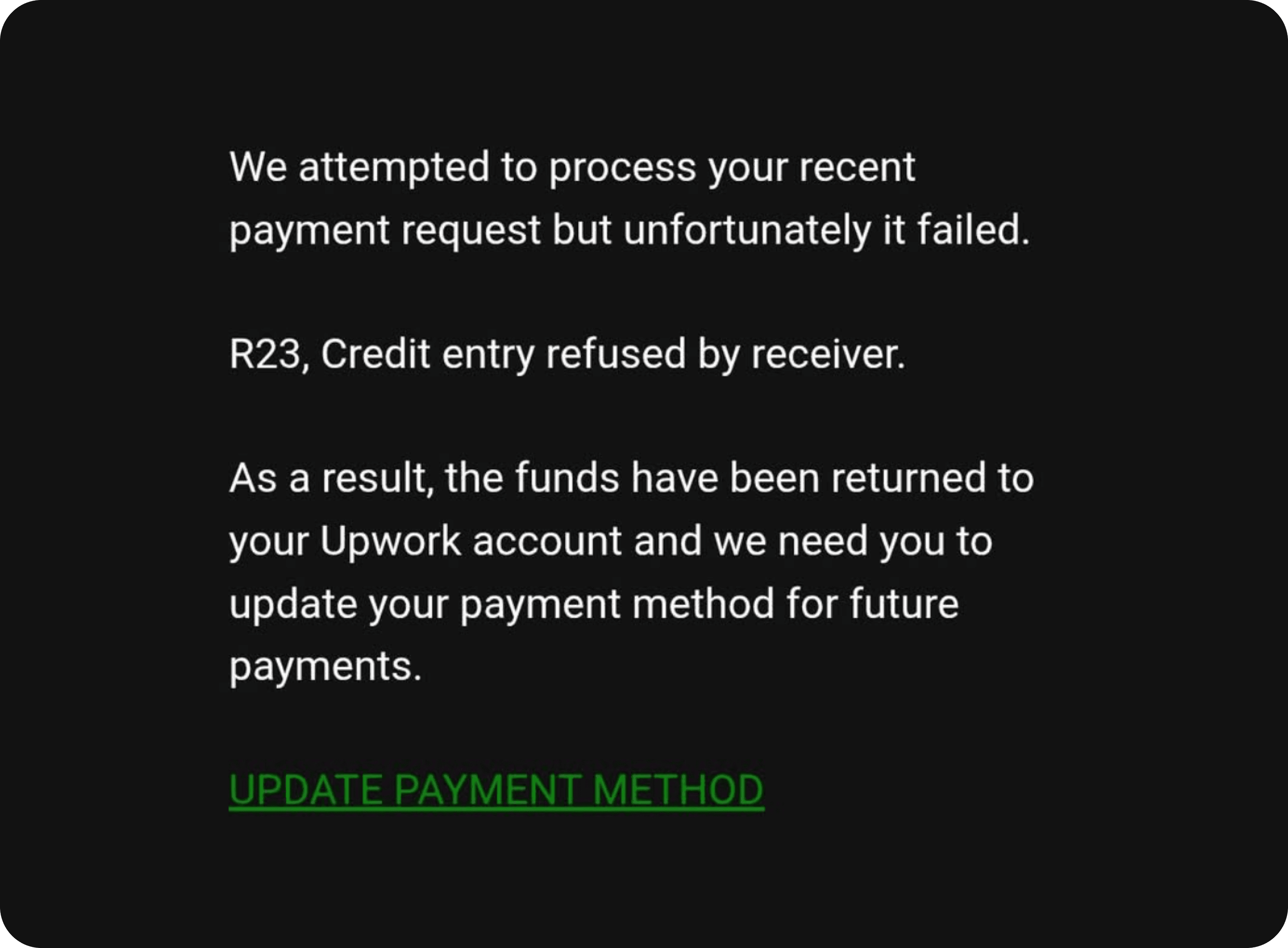
Your payment shows as failed
You receive an email from Upwork
Your balance is restored after processing
Why your payment method may be disabled
Upwork often:
Automatically disables a failed payment method
Asks you to update your payment method
This is standard behavior.
It’s not a penalty.
What Should You Do Right Now?
Follow these steps in order.
1. Check your Upwork balance
Confirm the funds are back in your account.
If not:
Wait a few hours
Sometimes it takes time for the return to process
2. Contact your receiving provider
Reach out to the bank or service you were using.
Ask clearly:
Why was the ACH transfer rejected?
Is your account able to receive ACH right now?
Has the issue been resolved?
3. Decide if you should reuse the same method
If support:
Gives a clear fix → you can retry
Gives vague answers → don’t risk it
4. Set up an alternative payout method
This is the safest move if:
You don’t get a clear explanation
The issue seems ongoing
You can follow a setup guide here: How to set up Elevate Pay with Upwork
5. Withdraw again
Once your method is ready:
Initiate a new withdrawal
Monitor the status closely
6. Keep a backup payment method
Going forward:
Always keep at least two payout methods
This prevents delays if one fails
How to Choose a Reliable Upwork Payment Method
If you’re searching for the best Upwork payment method in Bangladesh or Pakistan, focus on reliability first.
What matters most
1. Consistent ACH acceptance
Your provider should:
Handle ACH transfers reliably
Not randomly reject deposits
2. Speed of delivery
Next-day delivery is ideal
3–7 days is common but slow
3. Fees
Look for:
Low or zero withdrawal fees
Transparent FX rates
4. Support quality
You want:
Fast responses
Clear answers
Ownership of issues
For Bangladesh and Pakistan specifically
Freelancers here face:
Stricter compliance checks
Variable bank behavior
Delays in cross-border flows
That’s why provider reliability matters more than anything else.
How do I change my Upwork payment method?
Go to Settings → Get Paid
Remove or disable the failed method
Add a new payment method
Set it as primary
What is the best Upwork payment method in Bangladesh?
The best option is one that:
Accepts ACH reliably
Delivers funds quickly
Has low fees
Offers responsive support
Many freelancers now prioritize USD account-based solutions for better control and consistency.
How to withdraw from Upwork in Pakistan?
The process is simple:
Add a payment method (bank or USD account)
Set it as primary
Click Withdraw Earnings
Track the payout
For Pakistan, reliability and PRC compatibility often matter when choosing a provider.
Can I have two payment methods on Upwork?
Yes. And you should.
Having a backup ensures:
You can switch instantly if one fails
You avoid payout delays
FAQ
Why did my Upwork payment fail?
The most common reason is an ACH return, often R23. This means your receiving bank or provider refused the transaction, not that Upwork failed.
What does “credit entry refused by receiver” mean?
It means the receiving institution rejected the deposit. The money was sent correctly but not accepted.
Is my money lost if Upwork shows a failed payment?
No. The funds are:
Returned to Upwork
Credited back to your balance
You can withdraw again after fixing the issue.
A Reliable Alternative
At Elevate Pay, we process Upwork withdrawals with $0 fees and next-day delivery. We haven’t had a single payout failure. If you’re looking for a reliable alternative, you can set up your account in under 5 minutes.
👉 Get Started with Elevate Pay
👉 Elevate Pay homepage
👉 View pricing and fees


Recent Articles




DO MORE WITH ELEVATE PAY
Transfer money with Elevate Pay with low fees and competitive FX rates. Our users love us for transparency, security and more.